
💡 WiseUp! Vol. 94 — Brain stacking, sleep timers, and more
This week, we're sharing Stephanie Smith's take on the brain stacking trend, and Ryan Holiday recommends five books to make you more persuasive.
On the app side, we've added a sleep timer for text-to-speech in Reader, made it possible to merge duplicate books in Books, and more. Read on for all the details or check out our log of weekly improvements.
Before we get into the tips…
📍 Let's start with a reading recommendation
Brain stacking for high performers
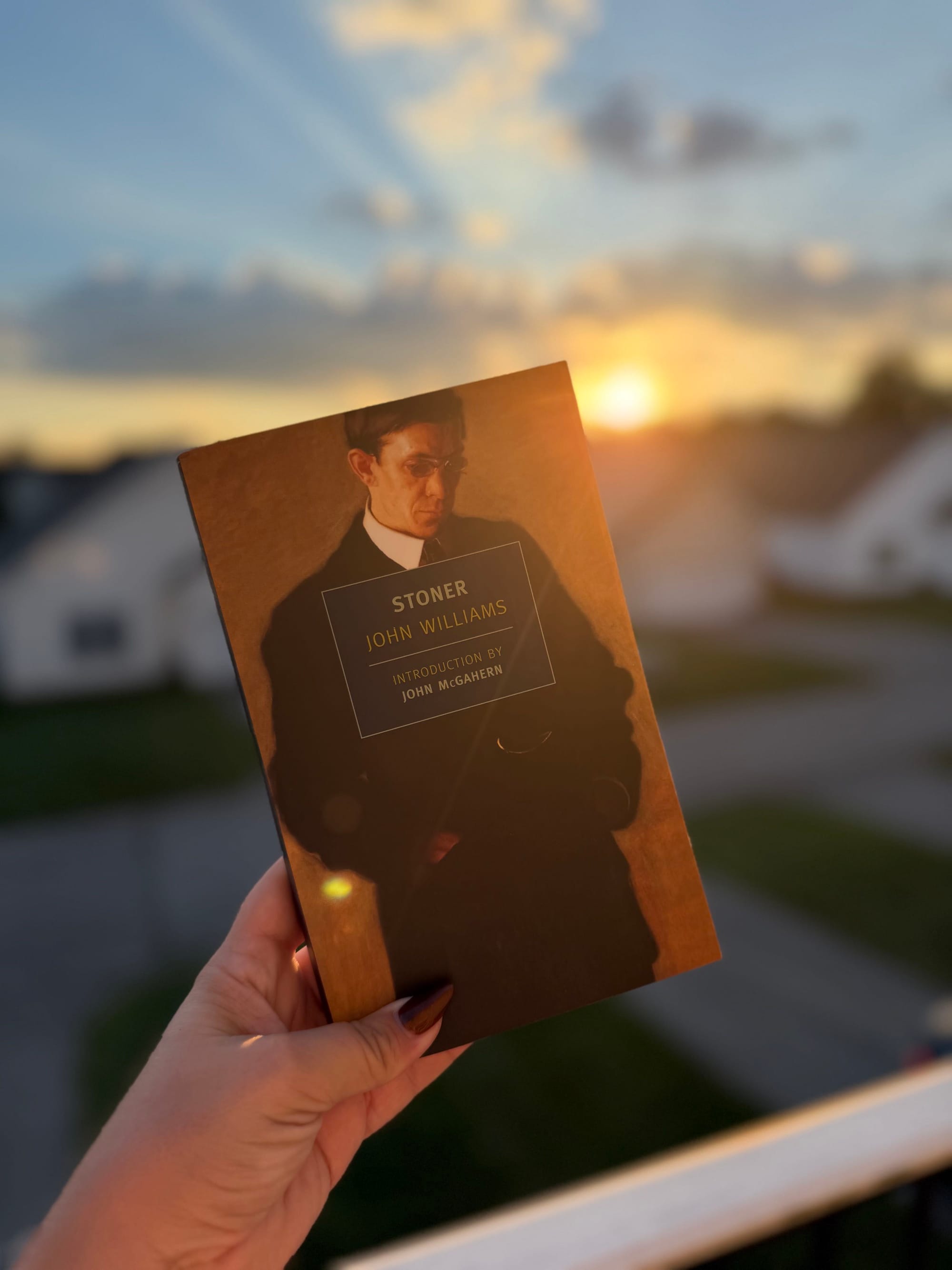
"Brain stacking" is the new learning trend on the block. We meet trends with skepticism, as does Stephanie Smith, who writes on her Substack about how the trend of swapping scrolling for puzzles, reading, and language lessons holds up against the research. Her take is that the routine matters less than knowing what you want from it. "Explain an idea without consulting your notes. Use a concept to analyze a real situation. Challenge an author's reasoning. Recognizing something you've read is a considerably lower bar than being able to work with it."
From the support inbox
Have questions about using Highlights, Reader, or Books? We'd love to be your guide! Reply to this email with your question and you might be featured in an upcoming issue. Even if your question isn’t featured, we’ll respond to every message.
❓ A Highlights question from Rhone D:
Do I have to remember to add every new book to my Themed Reviews by hand?
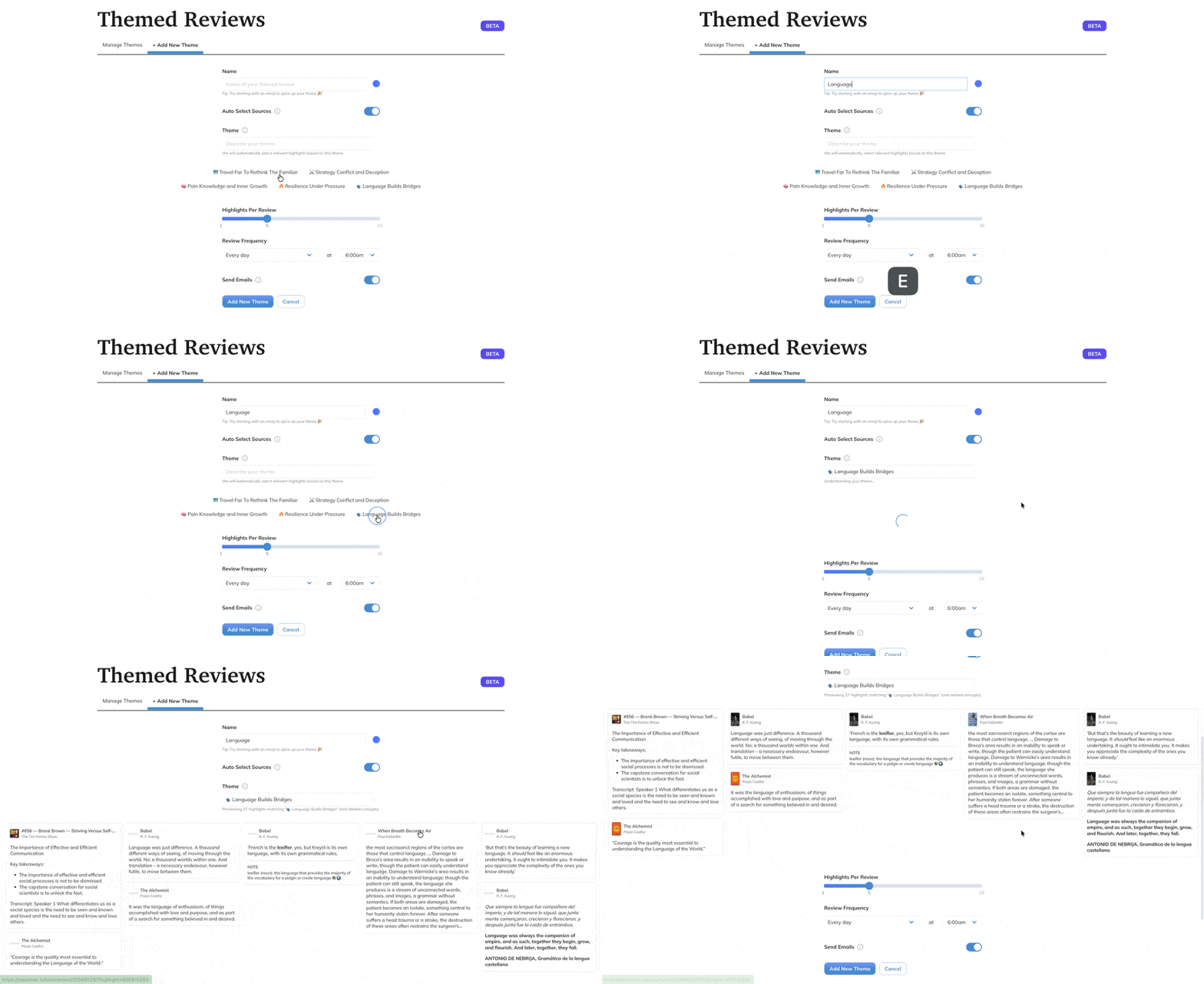
Nope, Readwise can pick the sources for you! On the web, go to Themed Reviews, click + Add New Theme, and turn on Auto Select Sources. Then describe your theme in the Theme field, like "highlights about leadership" or "books by Brandon Sanderson," and you'll get a preview of what's included. As you read new books that fit the theme, their highlights join the review automatically, no tagging required.
❓ A Reader question from Matthew M:
Can I set a sleep timer for text-to-speech?
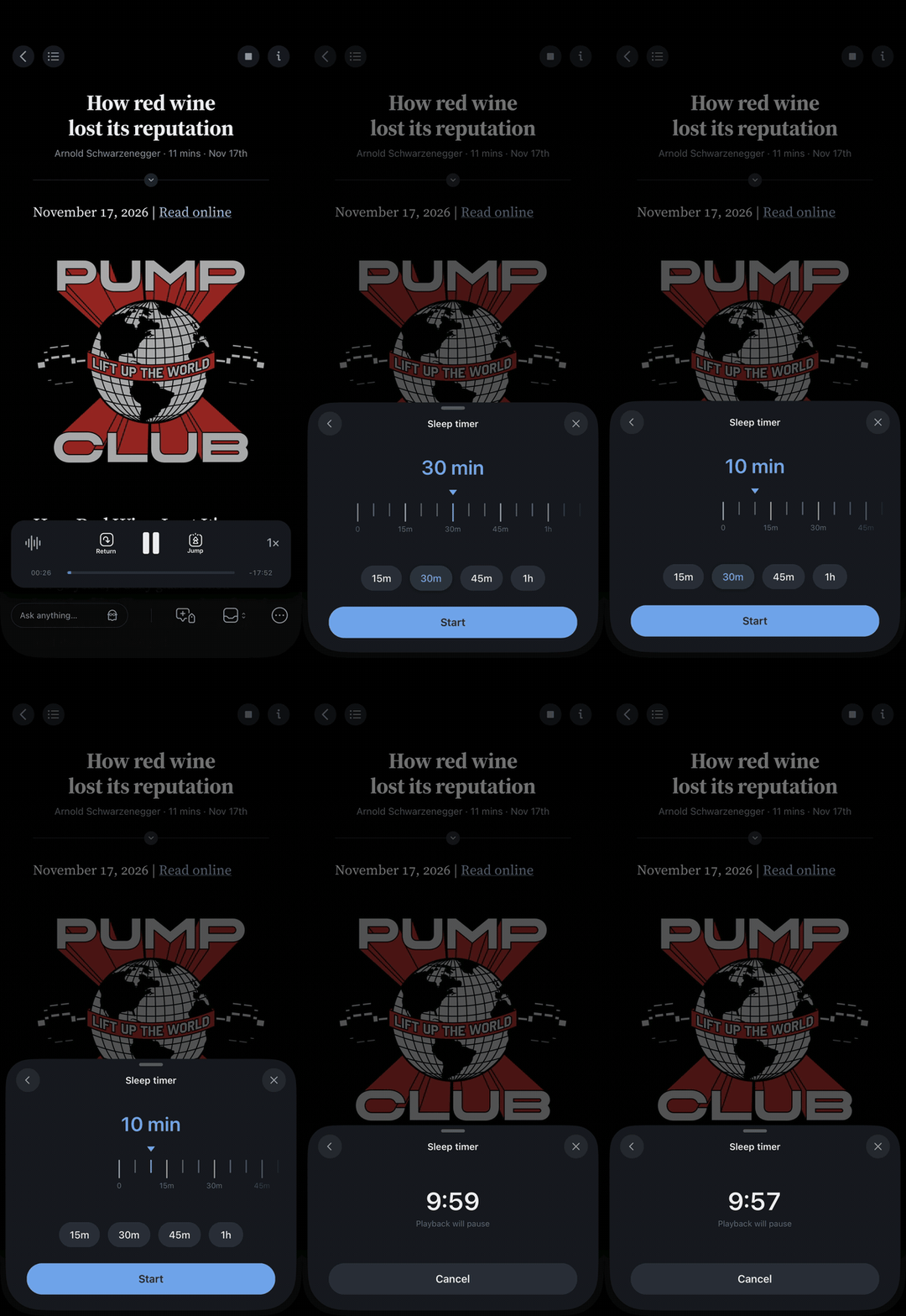
It's here! You can now set a sleep timer for text-to-speech in the Reader app, so playback pauses on its own when time is up. Perfect for listening before bed. While a document is playing, open the Speed sheet, tap the moon, and choose how long you want it to keep reading.
❓ A Books question from Robert L:
Can I merge duplicate books, like an EPUB I uploaded and the copy Goodreads imported?
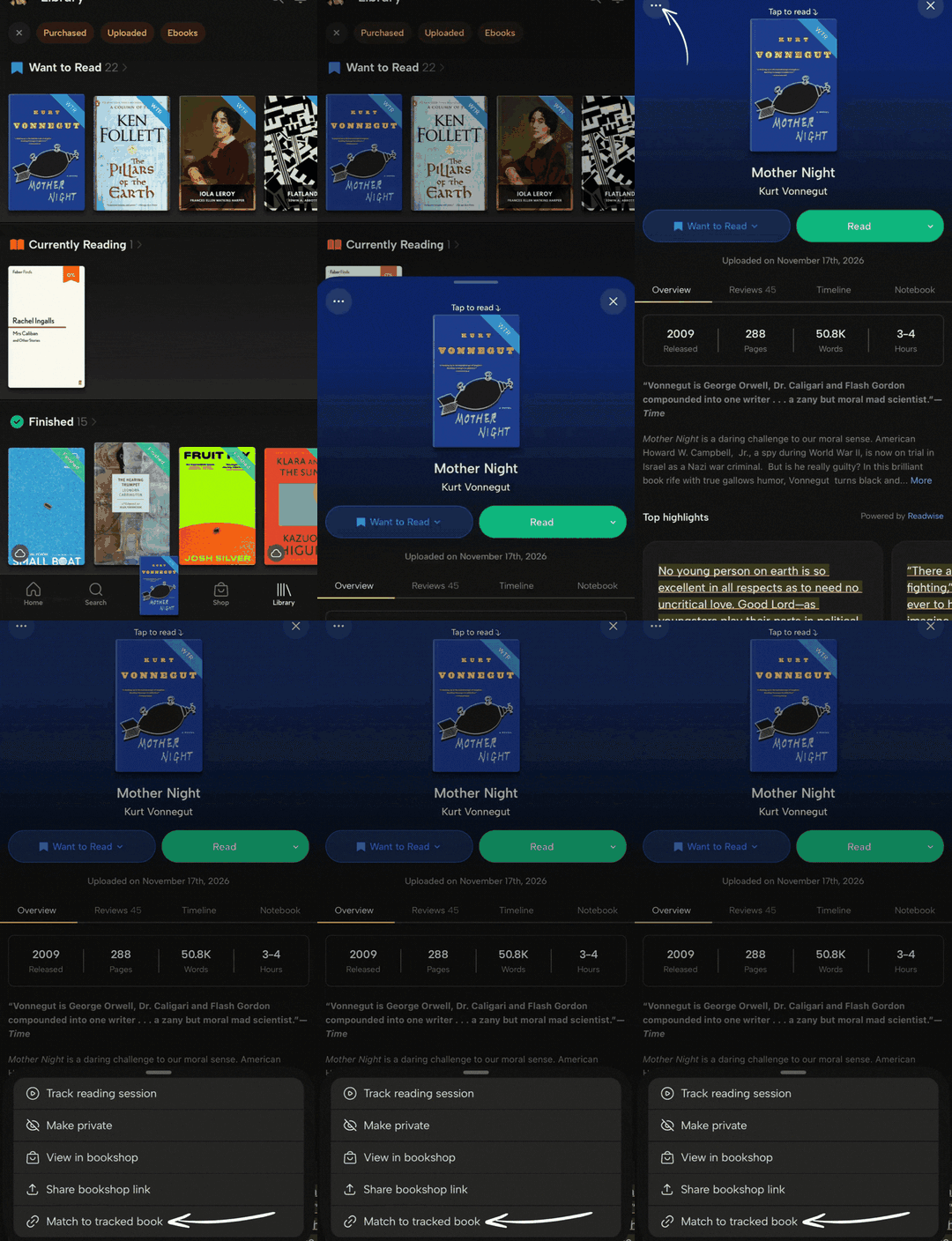
You can now! Open the book's ··· menu, choose the Match option, then pick the copy you want to keep. Readwise Books merges the two, and your reading sessions, posts, and review all land on the one you keep. New uploads also join with the version that matches their ISBN, so you'll see fewer duplicates going forward.
📖 New help doc of the week
Create Themed Reviews right from the Highlights app
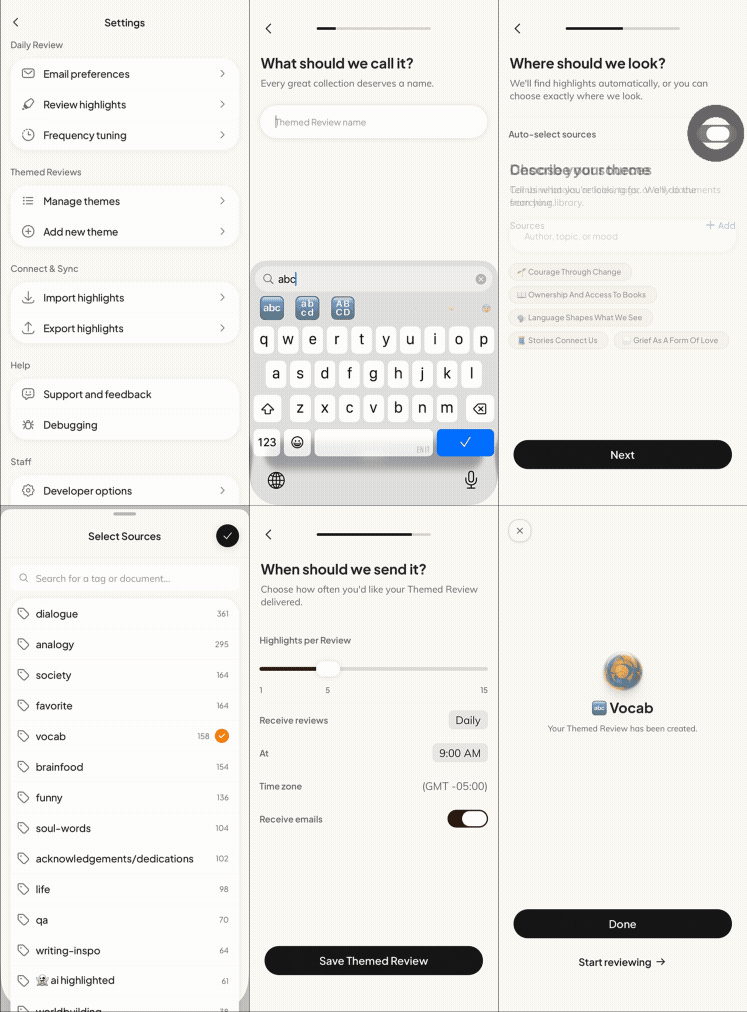
Your Themed Reviews don't have to wait until you're back at your desk. This week, Cayla updated the Themed Reviews guide with the mobile app's three-step setup, plus how to edit or delete a theme on the go.
🎬 New video of the week
How to become more persuasive
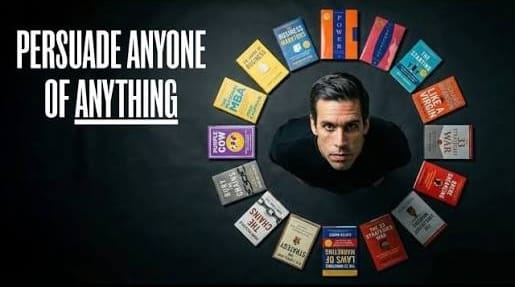
Avoiding (or winning) family debates over Thanksgiving dinner is a running joke here in the States. If you’re interested in doing the latter, here’s Ryan Holiday’s top 5 book recommendations to become dangerously persuasive 😉
📰 Nov 6 - Nov 13 updates
What's new in Reader, Highlights, and Books
Reader
🌙 NEW! Sleep Timer — You can now set a sleep timer for text-to-speech in the Reader app and the Readwise Books app. Tap the moon in the Speed sheet and choose an amount of time, or have it stop at the end of the chapter in books. Playback will pause on its own when time is up. Thanks to Samuel for building it.
🔖 Fixed Ghostreader Shortlisting — When using the Triage library configuration, asking Ghostreader to add documents to your Shortlist could move them into a location your layout doesn't show, so they seemed to disappear. Tristan made Ghostreader add the shortlist tag instead, so those documents now show up in your Shortlist view.
🏷️ Fixed Ghostreader Tags — In Reader on web, if you asked Ghostreader to tag a document and moved your mouse to another row before it finished, the chat said "Added tag" but the tags never saved. Cam made Ghostreader apply the tags to the document it was working on, so they stick even if you keep browsing.
📄 Fixed PDFs Saved by Link — When Reader couldn't download a PDF you saved by its link, for example because the site was down, Reader on web said "This PDF is downloading to your device" indefinitely. Tristan made Reader mark those saves as failed, so you now see an import error instead of a page that never loads.
📖 Fixed Stuck EPUB Pages — Some EPUBs wouldn't turn past a blank page near the start, so you couldn't get any further into the book. Cam fixed how empty sections load, so paging carries on through them in the Reader app and the Readwise Books app.
Highlights
🛫 Fixed Launch Hangs — The app could sit on its logo at launch, for minutes on Android when the network quietly dropped part of the connection, and indefinitely on iPhone in airplane mode. Ibai added timeouts and an offline check, so the app opens to your highlights, or to the offline screen, either way.
📲 Improved iPhone Duo Layout — On the iPhone Duo, content ran under the status column along the side of the screen. Cam kept the app clear of the column, while the cards on Home still use the full width when the Duo is folded.
🎨 Fixed Missing Covers — When a book or article cover failed to load, like an old Twitter avatar or an expired publisher image, you got an empty frame. Ibai made the app show the same painted cover it uses for books without one.
🔢 Fixed Clearing Page Numbers — Deleting the page number on a highlight you typed in and tapping Save kept the old number. Ibai made an empty field clear it, so the highlight saves without a page number.
🔣 Fixed EPUB Endnote Links — Highlights from some EPUBs showed their endnote links as raw text like <a href="private://read/…" target="_blank" rel="noopener noreferrer">*</a> in the app and in shared highlight images. Tristan taught the app to recognize more endnote styles, so those links now show as a small footnote marker.
Books
🧩 NEW! Match to My Edition — If the same book showed up twice in your library, like an EPUB you uploaded next to the copy Goodreads imported, there was no way to combine them. Now you can open the book's ··· menu and choose the Match option, then pick the copy to keep. Books merges the two, with your reading sessions, posts, and review on the one you keep. Tristan built the matching, and Artem made new uploads join the book their ISBN already matches, so fewer duplicates appear in the first place.
🚪 NEW! Delete Only Your Books Account — Deleting your account from Readwise Books used to delete your whole Readwise account, Reader library and Highlights included. The Manage Account page in Books now also offers Delete Books Account, which removes your Books profile and reading history, but keeps your Reader and Highlights data. Thanks to Johannes.
🔄 Improved Goodreads Sync — Changes you made on Goodreads only reached Readwise Books when you tapped Refresh, and Refresh re-imported your whole shelf every time. If you've turned on any Goodreads cross-posting option, Books now checks your Goodreads shelves in the background, about once a day or every six hours while you're actively changing them. Refresh now brings over only what changed, usually in seconds, and moves books between shelves to match Goodreads. Mati built both.
🔑 Improved Sign-In — Long-time Readwise users who sign in with Apple or Amazon couldn't find those buttons in Readwise Books, because sign-in asked for an email first and Hide My Email users didn't know which address to type. Tristan put Apple and Amazon right under the email field. He also stopped the "Sign in with Apple didn't work" alert from appearing when you cancel, in Books and the Reader app.
🛡️ Improved DRM Warnings — Uploading a DRM-protected EPUB to Readwise Books said "Uploaded", but the book never showed up. Cam made Books check the file first, on the readwise.io/books/upload page and in the app, so you see right away that DRM-protected books can't be opened.
👍 Three recommendations from our team
From support specialist Angie
Something to read 📖
Angie just finished Vincent Delecroix's Small Boat, a short novel about a migrant boat crossing the English Channel. It hit close to home as her family escaped Vietnam the same way, and as she puts it, "it's not all happy endings either." Her verdict? Poignant. Read it, and it'll open your worldview.
Something to focus ⏰
Angie is a little obsessed with 0.4 mm pens, and her current favorite is the Pilot Juice Up 4 Gel Multi Pen. The fine tip keeps her journaling longer than she planned, and it's just so satisfying to write with.
Something to unwind 🧘
For a bit of whimsy in her day, Angie reaches for U-LAB's Flower Stamp Bubble Hand Wash. It's so cute it makes her smile every time she washes her hands, and it smells nice too.
💬 From the Readwise group chat
The team chat moved to Books
Abi got tired of having her phone on her nightstand, so she taught her bedside clock to log reading sessions. She presses +, says her book and page out loud, and it starts a session through the Readwise Books API. We only found out because Cayla asked about it in the comments on her session. You can read more about her hack here.
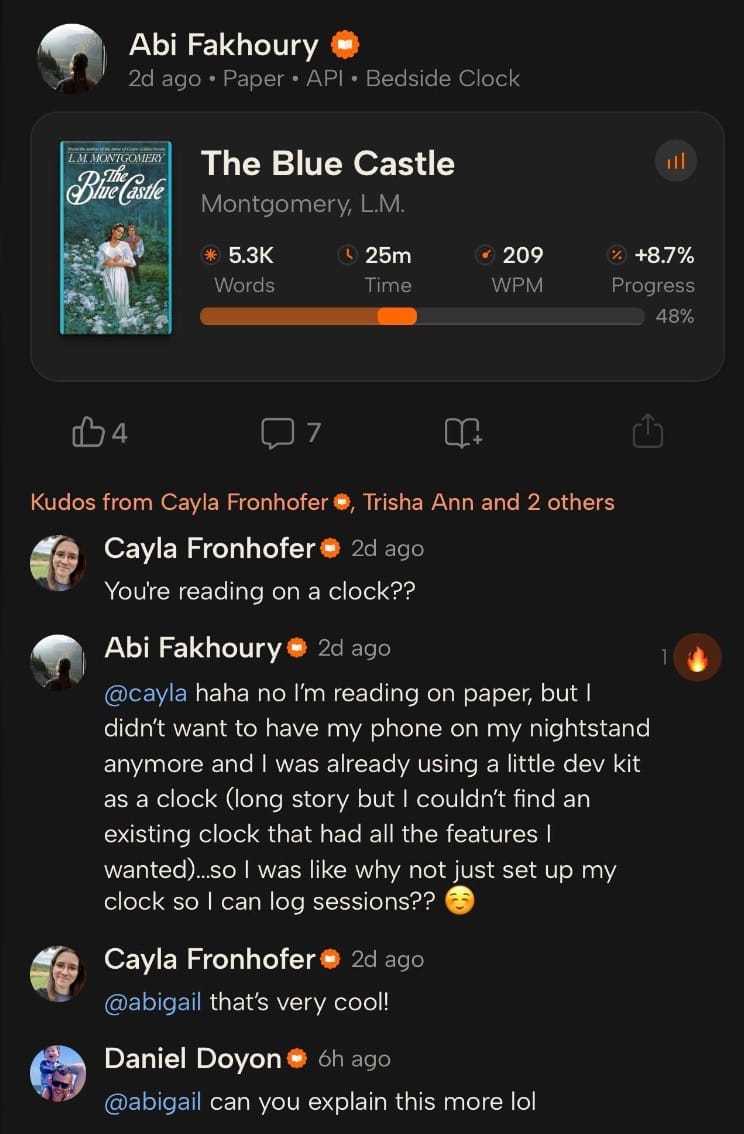
Got a strange way of logging your reading? Show us in Books.
Warmly,
the Readwise customer support team