
💡 WiseUp! Vol. 84 — Save long-form tweets, use Ghostreader in the mobile app, and more
This week, we're digging into a question every highlighter has probably asked: do I actually need to remember what I read?
We're also showing you how to save articles from X/Twitter, and how to easily navigate your videos. And on the app side we've fixed Focus Mode, an invalid key error with custom OpenAI keys, and more. Read on for all the details or check out our log of weekly improvements.
Before we get into the tips…
📍 Let's start with a reading recommendation
Do you actually need to remember what you read?
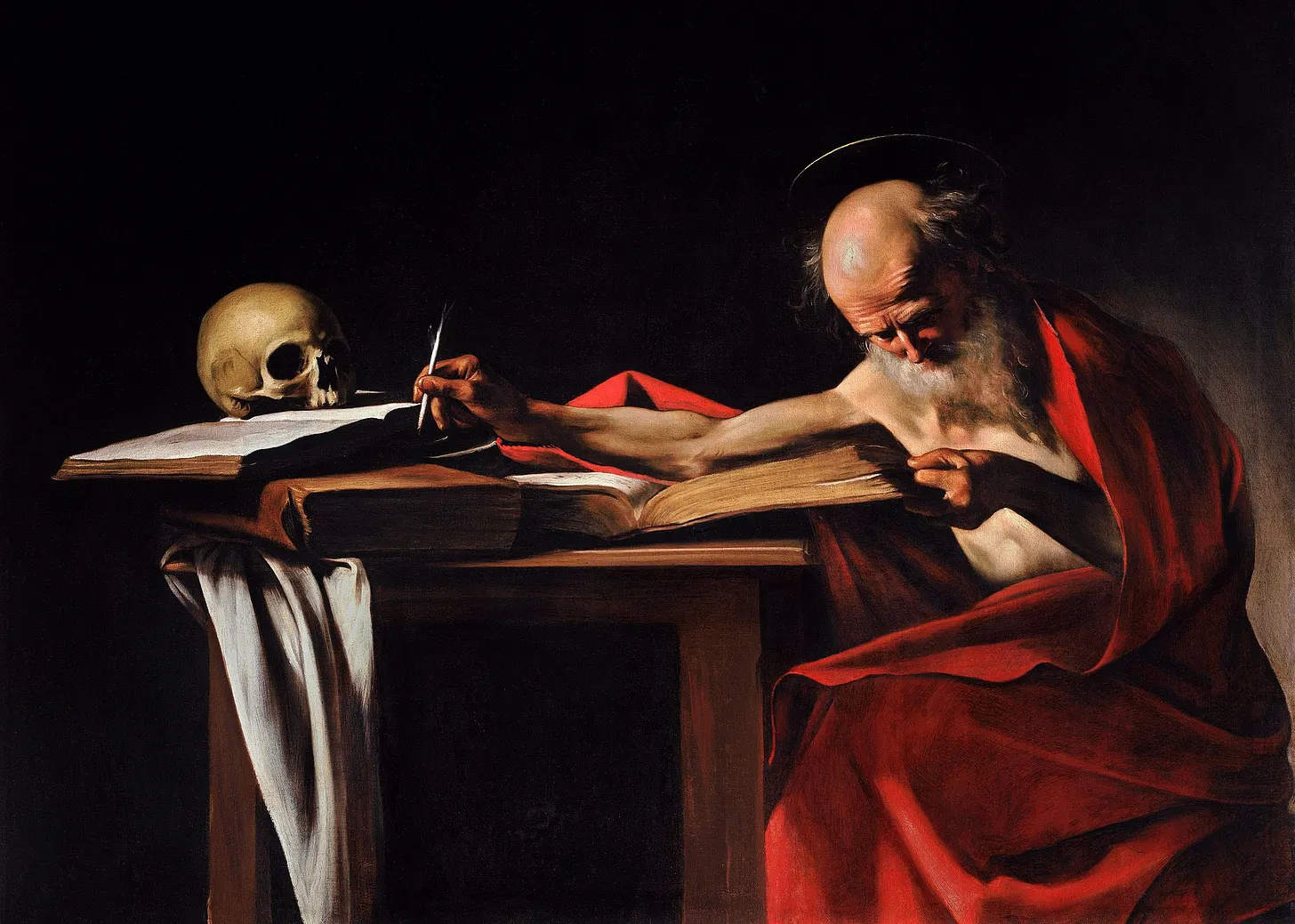
Matheus Gagliardi writes the Renaissance Compass on some of our favorite topics (and yours, too): reading, memory, commonplace books, history, and even Brandon Sanderson. "[Erasmus] thought memorization was the 'the first step in a process of synthesis, a process that led to a deeper and more personal understanding of one’s reading.' This contrasts with a view that became prevalent with the rise of the internet: that we don’t need to remember information... If all information we could ever need is one click away, why bother trying to remember what we read?"
From the support inbox
Have questions about using Readwise or Reader in your workflow? We'd love to be your guide! Reply to this email with your question and you might be featured in an upcoming issue. Even if your question isn’t featured, we’ll respond to every message.
❓ A Readwise question from Tina B:
Can I automatically save articles from Twitter/X to Reader?
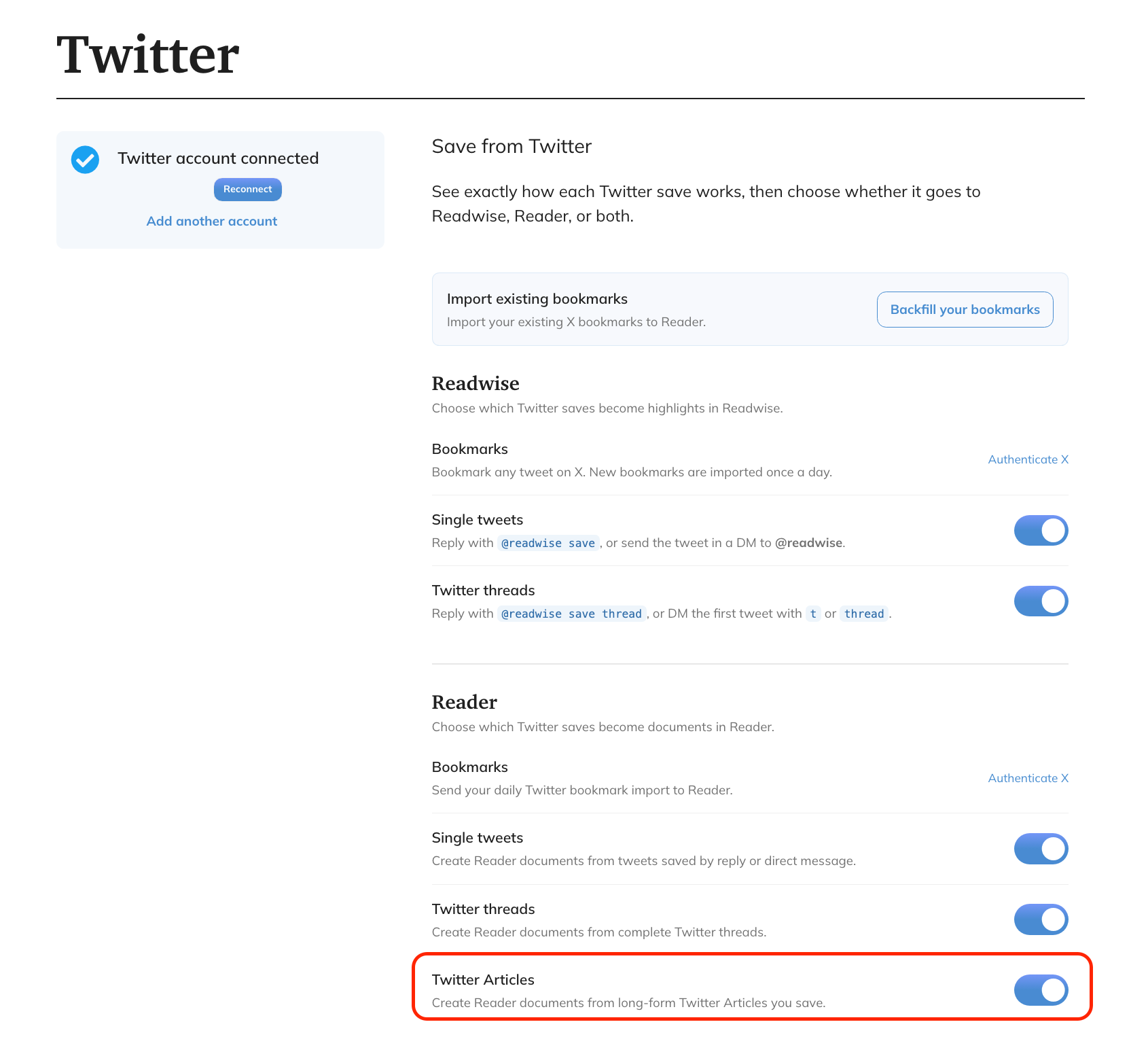
Turn saved long-form Twitter/X Articles into full Reader documents so you can read, highlight, and revisit them in one place. Go to your Twitter preferences in Readwise and turn on the toggle to create Reader documents from saved Twitter Articles. Once it’s on, supported long-form Articles you save will be sent to Reader automatically.
❓ A Reader question from Braeden:
Is there a way to jump the video to where I am in the transcript?
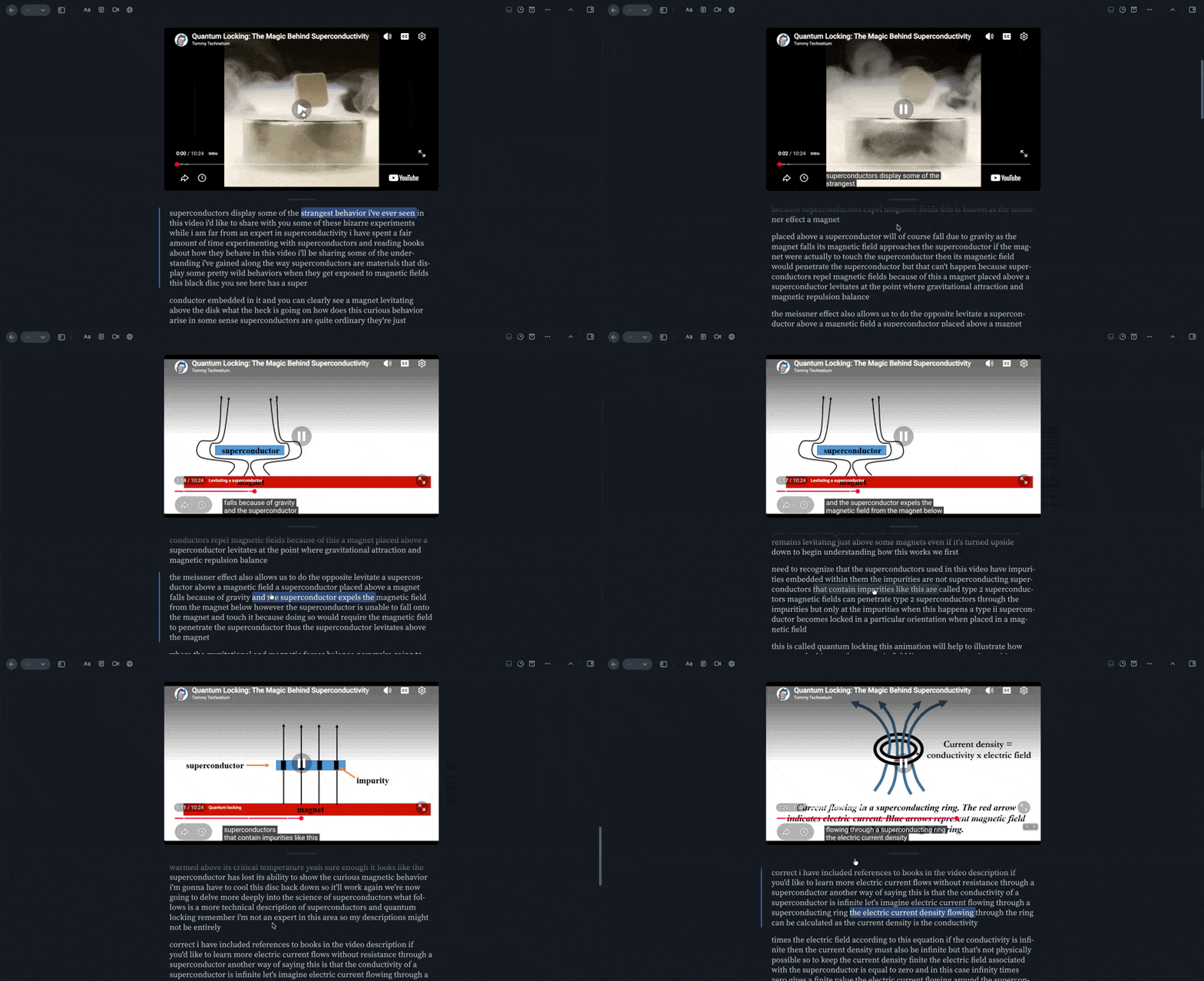
You can quickly move to another part of a video by selecting the matching line in its transcript. Click any transcript line and the video will begin playing from that timestamp. You can find this feature on web and desktop.
📖 New help doc of the week
Your reading buddy now fits in your pocket
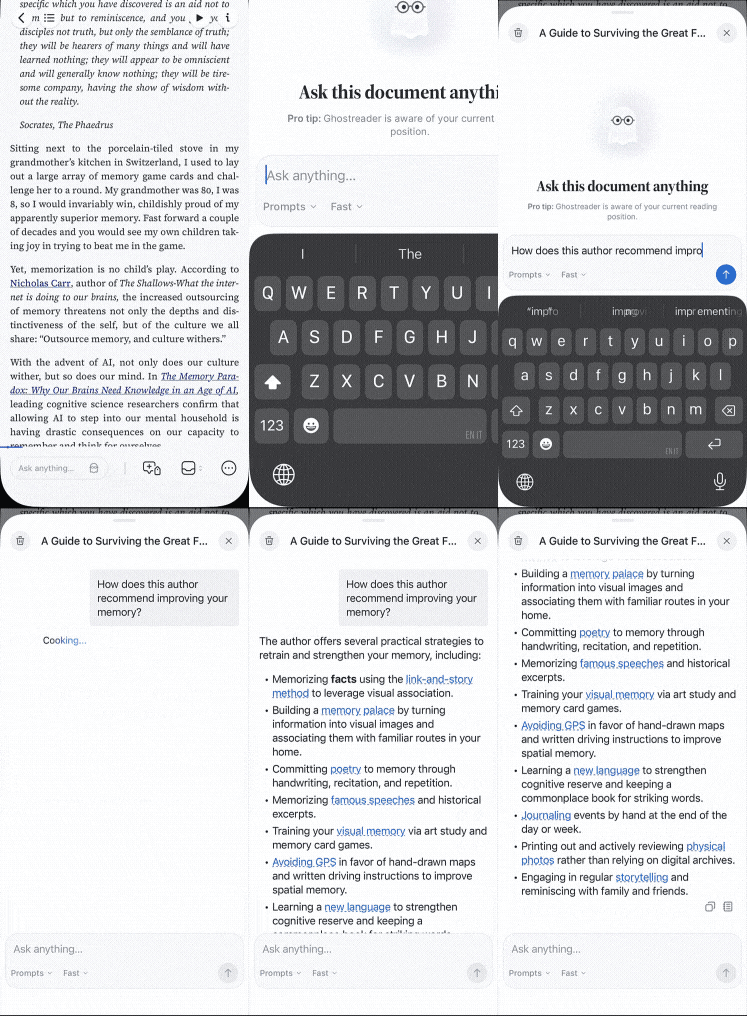
Ghostreader's document chat has arrived in the Reader mobile app, and the chat guide has been rewritten to match. Learn the mobile entry points and how to run preset prompts from the chat sheet, plus how to point it at a single highlight when you want a very specific answer.
🎬 New video of the week
The best books for the AI economy
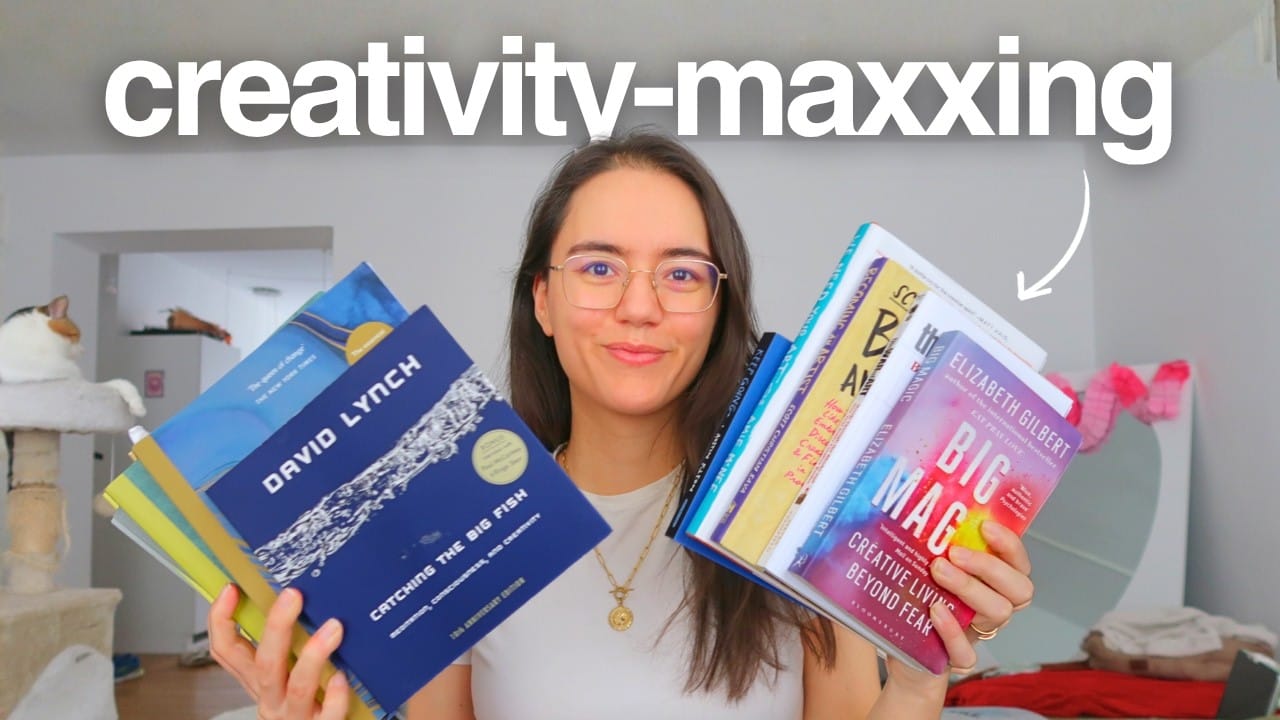
Deya believes your creativity will be your biggest competitive advantage in the AI economy. These are the 8 books she recommends for developing your way of thinking and putting together surprising ideas.
📰 Aug 29 - Sep 04 updates
What's new in Reader and Readwise
🎯 Fixed Focus Mode — Focus mode in Reader on web and desktop was only dimming the paragraphs around you on articles and podcast transcripts. On emails, EPUBs, text-view PDFs, and Twitter threads nothing dimmed at all, and on YouTube transcripts everything did. Krzys fixed the dimming rules, so focus mode now properly spotlights the paragraph you're on across every document type.
📄 Fixed PDF Page Shortcut — In Reader on web, the shift+J shortcut for jumping to a page in a PDF did nothing if the window was too narrow to show the page-number box in the header. Krzys made the shortcut reveal that box on demand, so you can jump to a page no matter how small your window is.
🔑 Fixed Custom OpenAI Keys — Adding your own OpenAI key to Reader on the Integrations page could fail with an "Invalid key" error even when the key was valid and funded, because the check insisted on access to one particular model. Tristan relaxed that check so any key that can run Ghostreader's models is accepted, and Piotr closed a gap where a blank entry could quietly wipe a saved key.
🔗 Fixed Ghostreader Citations — When a Ghostreader answer in Reader cited a passage containing code or bracketed notation, the citation could come out as a run of plain monospace text instead of a link. Tristan taught the citation parser to handle those anchors, so citations stay clickable.
✍️ Fixed Ghostreader Highlights — Asking Ghostreader in Reader to highlight a passage could report success while nothing appeared in the document, especially when the quote crossed a link, an emphasized word, or a paragraph break. Krzys fixed how the requested text is matched against the page, so those highlights now land where you asked for them.
🔥 Fixed Streak Counts — The review streak shown in the Readwise app and on the web could lag behind reality, sometimes holding onto a stale number for more than a day after you finished a review. Ibai and Tristan reworked how the streak and the review calendar are calculated, so your streak should update as soon as you complete your review.
📰 Fixed Newsletter Layout — Email newsletters like the New York Times' The Morning could render in Reader's original view with squeezed text and stretched images, and on iPhone and iPad the layout could run wider than the screen with no way to pan across. Cam and Krzys fixed the width rules, so newsletters now lay out the way they do in your inbox.
🐦 Fixed Twitter Digest Text — In Twitter List digests in Reader, the "retweeted" label was showing at full reading size and bulleted tweets came out larger than the text around them. Artem tidied up those styles, so the digest's labels and lists now sit at their proper sizes.
🏷️ Fixed Tag Crash — Tags added through the Readwise MCP or the API were skipping the name checks the Reader app applies when you create a tag by hand, so names containing illegal bracket characters (e.g. [ai]) could slip through. Tapping one of those tags in the Reader app crashed it on iPhone and iPad, and the tags never appeared in the sidebar. Cam taught the app to handle those names, so bracketed tags now open normally and show up in the sidebar alongside the rest.
🗞️ Fixed Daily Digest Position — Opening an article from the Daily Digest in the Reader app and tapping back could throw the list all the way to the top when a freshly built digest synced down mid-session. Cam made the app hold onto the digest you started with, so you land right back where you left off.
💬 Improved Mobile Chat Context — Ghostreader chat in the Reader app wasn't passing along the passage you had selected or were reading, so questions about "this paragraph" could miss the mark. Adam fixed that, so chat on iPhone and Android now knows where you are in the document.
⏳ Fixed Stuck Loading Screen — The Reader app could get permanently stuck on its loading screen at launch if onboarding had been interrupted partway through. Lior shipped a fix that finishes that state on the next launch, so the app opens straight to your library.
💻 Fixed Code Hyphenation — On iOS, inline code and code blocks in Reader were being auto-hyphenated when they wrapped, which mangled file paths and variable names. Lior shipped a fix that turns hyphenation off for code, so it wraps cleanly.
🔠 Fixed Clipped Tags — With a larger system text size, highlight tags in the Reader app's notebook were getting cut off at the top and bottom. Cam made the tag pills grow with your font setting, so tags stay fully readable at any size.
🦊 Fixed Firefox Extensions — The Reader highlighter extension for Firefox could stop OpenRouter pages from loading and lose its right-click menu items, and the Readwise sync extension's "Save highlight" menu item disappeared whenever both extensions were installed. Adam fixed all three and released updates to both extensions, so right-click saving works again in Firefox.
🛜 Parsing Updates — Krzys improved how Reader handles documents from entwickler.de, and articles saved from ft.com by URL alone now show the "couldn't fetch full content" notice instead of an empty page.
👍 Three recommendations from our team
From generalist writer Abi
Something to read 📖
Abi has been reading Hamnet by Maggie O'Farrell. She's a sucker for historical fiction, especially if there's a film adaptation she can watch at the end as a little treat.
Something to focus 🍉
These electrolytes are the best Abi has ever tasted. She generally finds them too salty, but this watermelon flavor does the trick.
Something to unwind 💎
Abi loves pretty things and getting creative, and these curated bead kits make it really easy and approachable!
💬 From the Readwise group chat
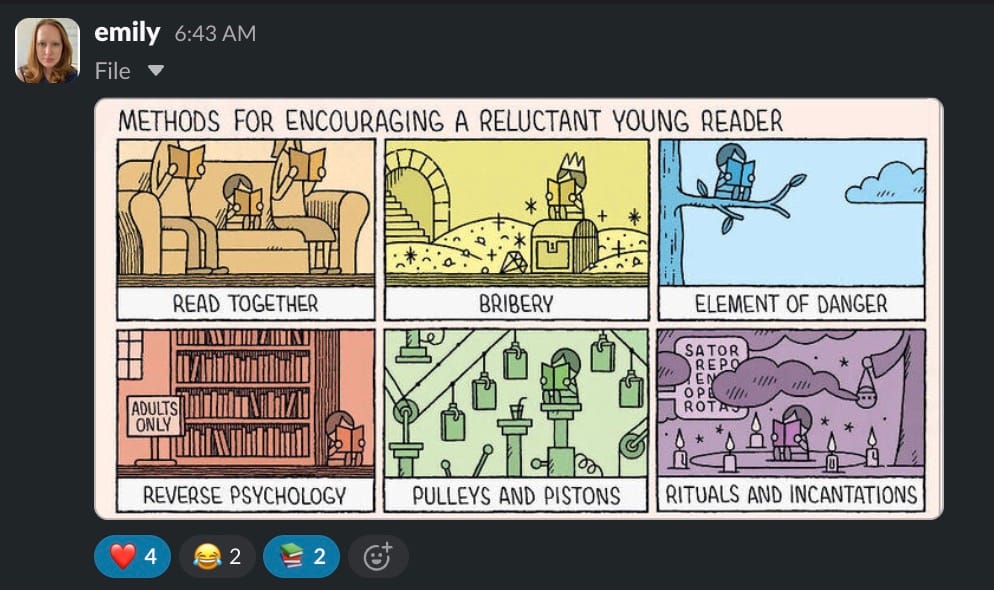
Rituals and incantations
Cartoonist Tom Gauld knows the struggle. If you've ever tried to get a kid to pick up a book, you already know which panel you've resorted to. I'm one more loop of Goodnight Moon away from graduating to the element of danger stage. (Credit: Tom Gauld, for The Guardian.)
Warmly,
the Readwise customer support team