
💡 WiseUp! Vol. 75 — Annotation 101 and how to export to Todoist
This week, we're talking about annotating and the way it unlocks the power of reading. We know it's a subject close to all of our hearts, so we hope you enjoy this one.
On the app side, we have great news for long-form readers: we've fixed EPUB chapters and improved TTS, making it faster especially in longer documents. Read on for all the details or check out our log of weekly improvements.
And if you haven't heard yet, we're hiring for a Senior Staff Engineer! If you or someone you know might be a good fit (and loves reading), check out our posting here.
Before we get into the tips…
📍 Let's start with a reading recommendation
The reading habit that changed how I understand books
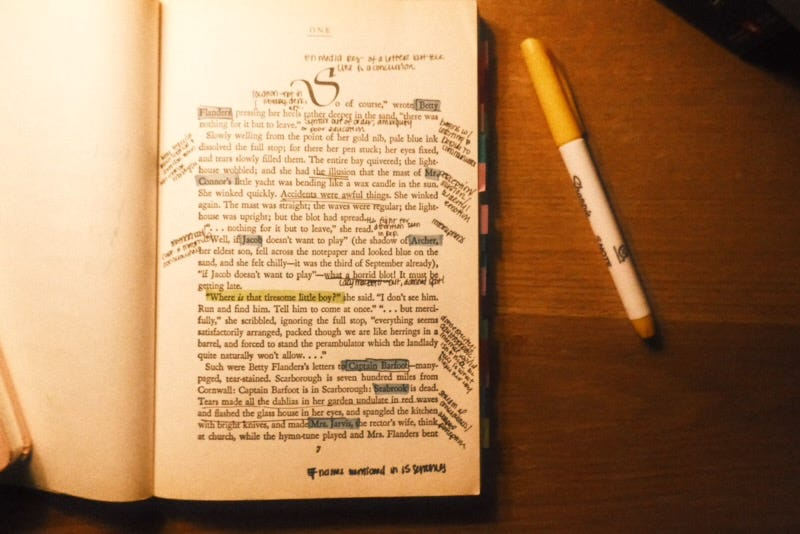
While looking for ways to deepen her reading of Anna Karenina, Wisereads editor Abi came across this post from PhD student Sabrina Nesbitt of Medievally Modern Reads. Consider it Annotation 101. “Annotation is our conversation with a text. It begins with questions: What is this book trying to say? Why did the author make this choice? What patterns are emerging? The more grounded we are in our purpose and questions, the more focused our annotations become.”
From the support inbox
Have questions about using Readwise or Reader in your workflow? We'd love to be your guide! Reply to this email with your question and you might be featured in an upcoming issue. Even if your question isn’t featured, we’ll respond to every message.
❓ A Readwise question from Mavis B:
Can I send my highlights to Todoist?
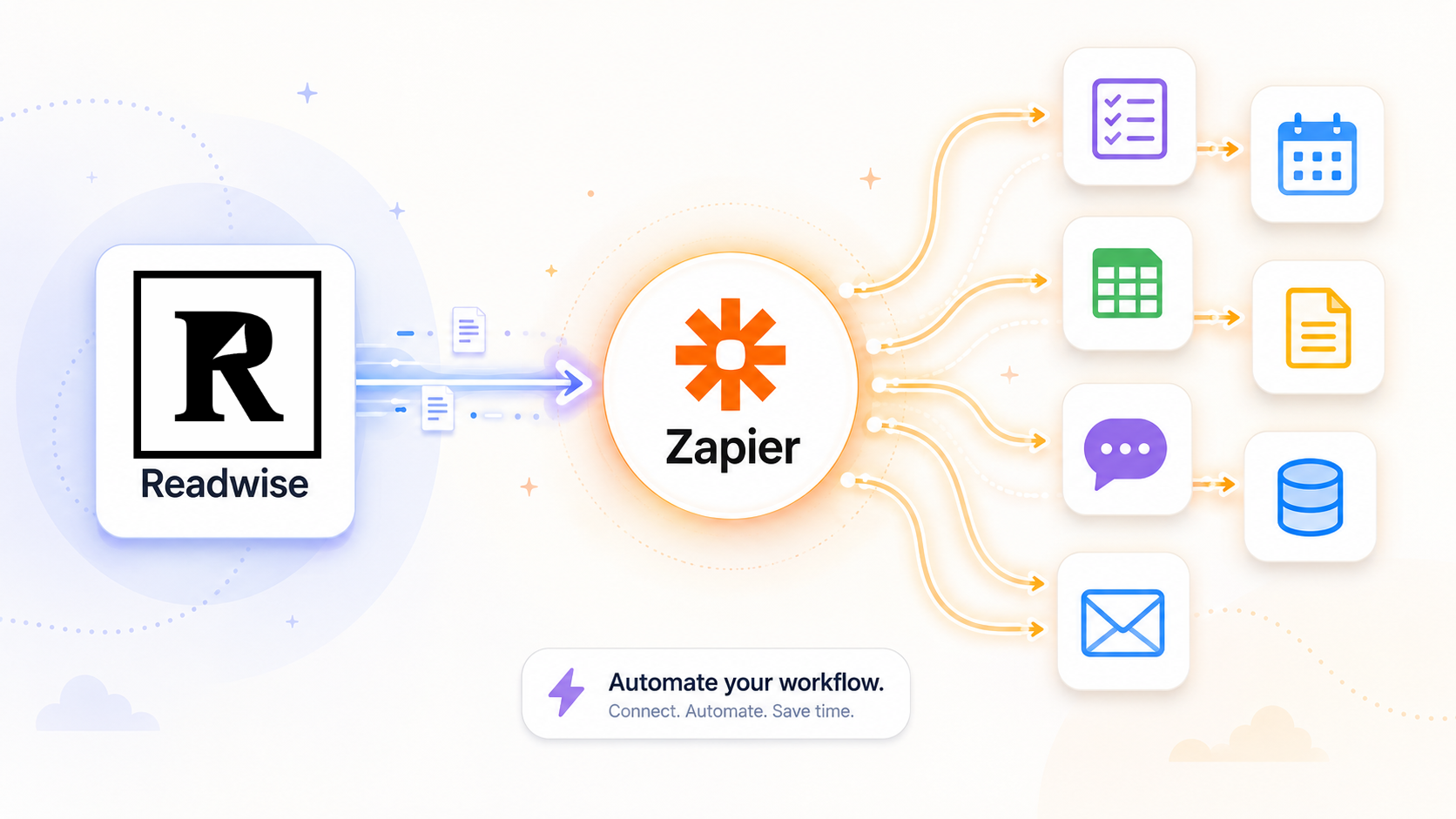
Zapier passes highlights or documents into the tools you already check, like creating a Todoist task whenever a new highlight is saved. When Readwise is used as the trigger in a Zap, Zapier creates and manages the webhook automatically. You only need to choose the trigger, connect your account, and finish setting up the action app.
❓ A Reader question from Madhu I:
How can I organize my saved tweets into tabs like the Library view?
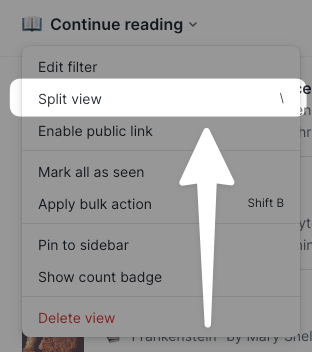
Saved tweets are easier to manage when you split your Tweets view into the same tabs you use in your Library, like Inbox, Later, and Archive. To do this, open your Tweets view and split it by Location. On web, click the caret beside the view title or press \ ; on mobile, open the view’s ... menu.
📖 New help doc of the week
Send your highlights to OneNote with luggage tags attached
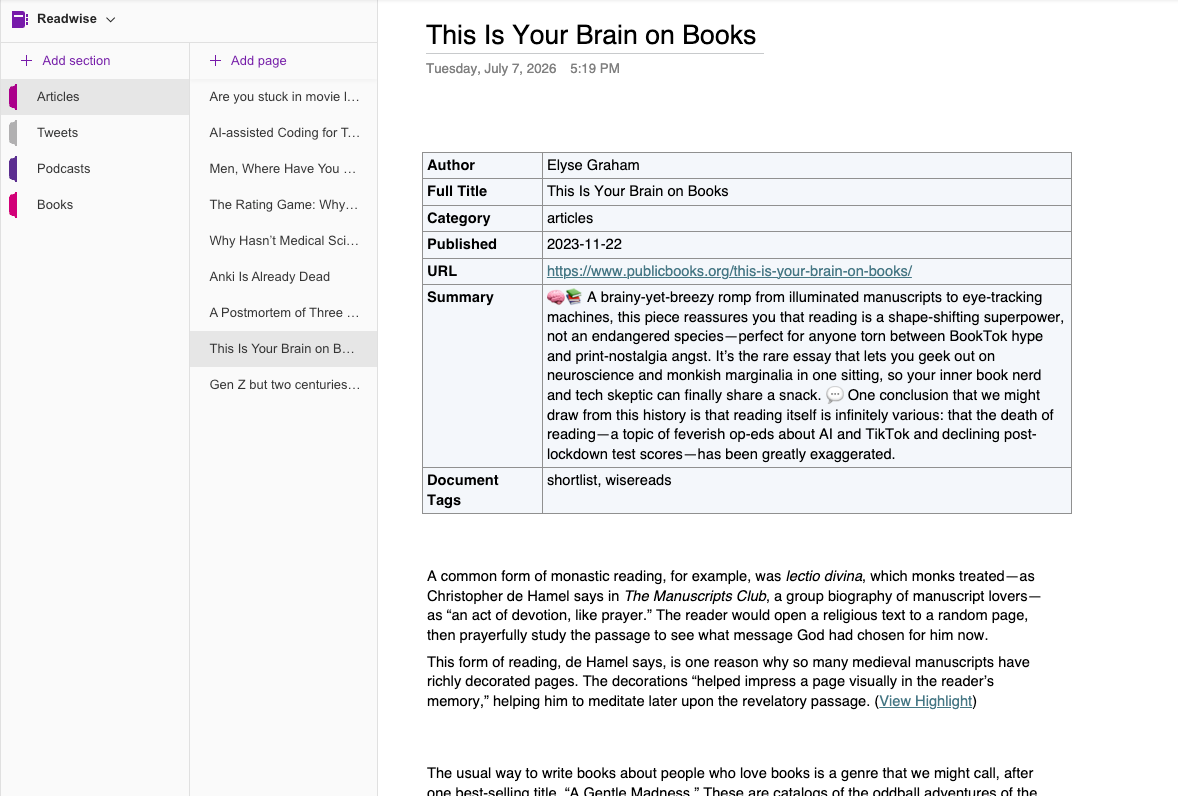
Highlights travel better when they're labeled. A new toggle in the OneNote export settings adds each document's metadata, from author to source URL to tags, right at the top of its note. The updated guide shows you where to flip the switch.
🎬 New video of the week
Our favorite iOS hack

With summer roadtrips on our agenda, many of our teammates are re-enabling this iOS so we can read more on the road.
📰 June 27 - July 3 updates
What's new in Reader and Readwise
📖 Fixed EPUB Chapters — Artem fixed the EPUB table of contents so tapping the expand arrow next to a Part now reveals the chapters inside it. You can jump straight to the exact chapter you're looking for.
🔊 Improved Text-to-Speech — Artem reworked how text-to-speech audio is generated, so pressing play on a document that hasn't been narrated before should start reading aloud faster, especially on longer documents. He also smoothed out auto-scroll in paginated mode: gestures on the current page no longer knock the player off track, and the view re-locks to the spoken text when you return.
📅 Fixed Publish-Date Sorting — Rasul fixed a bug where editing a document's published date in its metadata wasn't picked up by sorting, so lists sorted by date published ignored user corrections. Metadata edits now take effect in the sort order right away on web, with mobile following in the next app update.
📝 Fixed Notebook Lists — Adam fixed how highlight content renders in the notebook, so bullet points and numbered lists inside of highlights now display as proper lists instead of collapsing into plain text.
📡 Fixed Feed Digest — Thanks to Johannes, opening the swipeable digest view on an empty feed now shows the "All caught up" card with a Done button instead of leaving you on a blank screen. There's always a way back out.
🌙 Fixed Dark Mode Toasts — Johannes cleaned up the layout of toast notifications in Reader mobile's dark mode, so quick confirmations now look right in both themes.
🔎 Fixed Quick Lookup — Artem hardened the Quick Lookup sheet against a rare glitch when closing it, so lookups open and dismiss smoothly.
🤖 Fixed MCP Document Lists — Johannes shipped a fix for the document list API, which could error out on documents without a reading position and was tripping up MCP clients and integrations sweeping through an inbox. Full-inbox sweeps from your AI tools now run clean end to end.
🔌 Fixed App Connections — Rasul shipped a fix to the OAuth flow so third-party apps connecting to your Readwise account no longer hit occasional errors partway through authorization. Connections should now go through smoothly on the first try.
🛜 Parsing Updates — Krzys improved how Reader handles documents from the New York Times (full article text, plus embedded tweets, pull quotes, and YouTube videos), archive.today and its mirror domains, every.to, the Telegraph, openai.com, epsilontheory.com, academialatin.com, and shared craft.do documents. He also added a safeguard that protects real article images from being mistakenly stripped out during automated cleanup.
👍 Three featured finds from the team
From support specialist Max
Something to read 📖
Since the first volume was already a long-time favorite of his, Max couldn't wait to pick up Consolations II by David Whyte. He loves how this collection of reflections on everyday words redefines familiar language to challenge our assumptions and offer a fresh perspective on daily life.
Something to focus 🖥️
Max likes using this monitor lamp to make long stretches at his desk a lot easier on the eyes. The combination of a soft ambient glow behind the screen and a subtle light on his desk takes the harsh edge off his monitor, making it way easier to stay focused.
Something to unwind 🏮
After hours, Max uses this lamp's warm temperature settings to completely change the room’s atmosphere. It’s a great set-and-forget piece since he can just use the timer to let it turn itself off.
💬 From the Readwise group chat
We're still standing (not all but some)
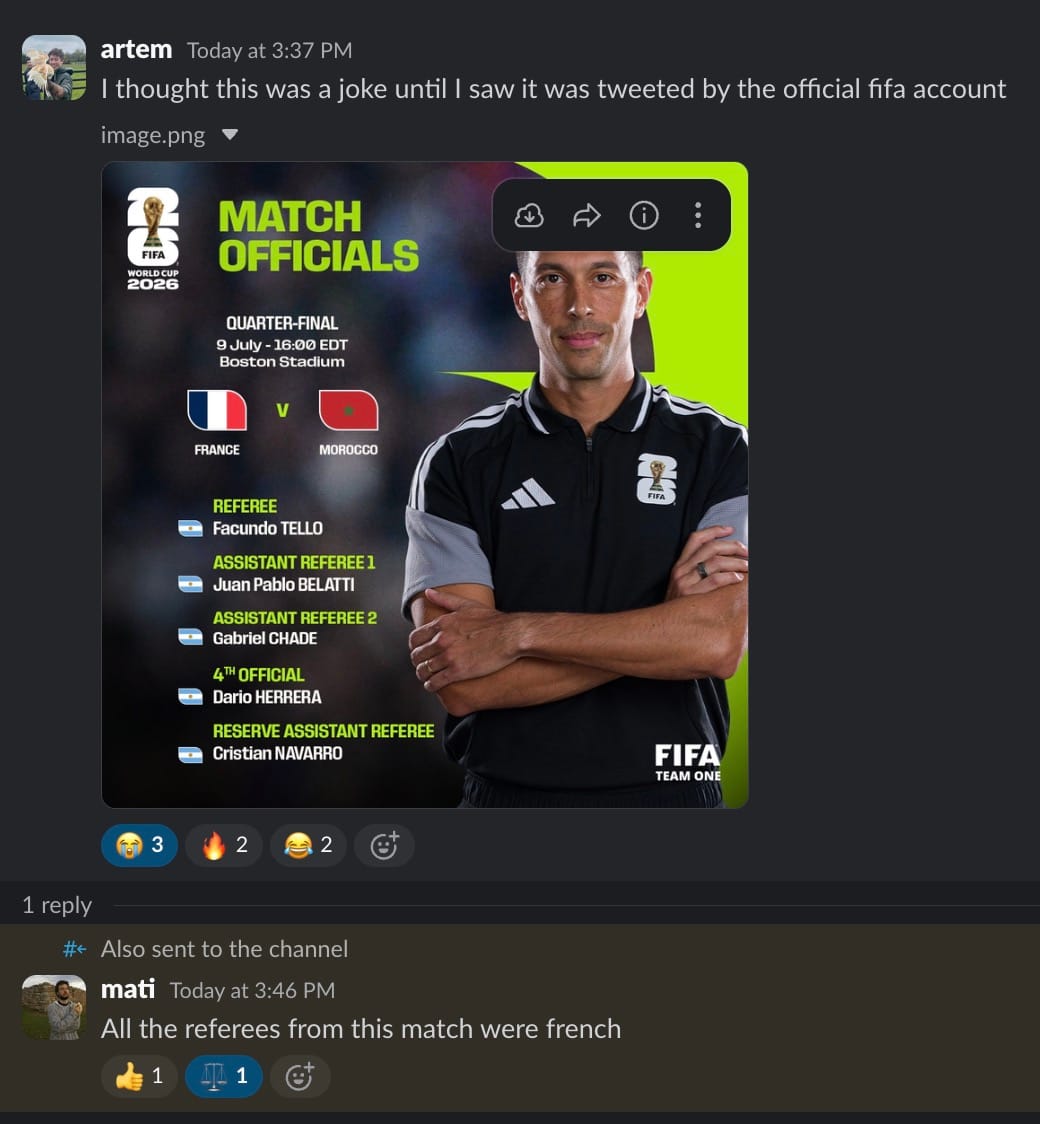
World Cup update: the beautiful game just got beautifully chaotic. FIFA assigned an all-Argentine referee crew to France vs Morocco in the quarterfinals (but also assigned an all-French cohort for the Egypt-Argentina match). If you don't understand why that's funny, Google '2022 World Cup final' and come back. Artem thought it was a meme, our Slack has not recovered.
Warmly,
the Readwise customer support team