
💡 WiseUp! Vol. 63 — Introducing Wikiwise, single re-export to Obsidian, and email filtering in Reader
This week, we're focusing on how AI is altering the paradigm of work, a topic we believe is important enough that it's worth understanding it well and debating it seriously.
On the app side, we're introducing WikiWise so you can set up, customize, and manage your own local-first markdown wiki with an AI agent. Read on for all the details or check out our log of weekly improvements.
Before we get into the tips…
📍 Let's start with a reading recommendation
As we may work

Taylor Pearson traces the history of knowledge work and where it may be headed in his piece, What Non-Technical Knowledge Workers Need to Know About the Next Wave of AI. There is no shortage of AI writing right now, but this one stands out for its clarity and framing. “Mobile and Social were primarily tools for consumption and distribution: you scrolled, shared, and reacted. The defining act was consumptive. CLI tools like Claude Code are productive. They are tools for making things. You direct, you judge, you structure, you build. It’s more of a workshop than a megaphone.”
From the support inbox
Have questions about using Readwise or Reader in your workflow? We'd love to be your guide! Reply to this email with your question and you might be featured in an upcoming issue. Even if your question isn’t featured, we’ll respond to every message.
❓ A Readwise question from David C:
Can I re-export a single book from Readwise to Obsidian? I edited a highlight, but the update isn’t showing.
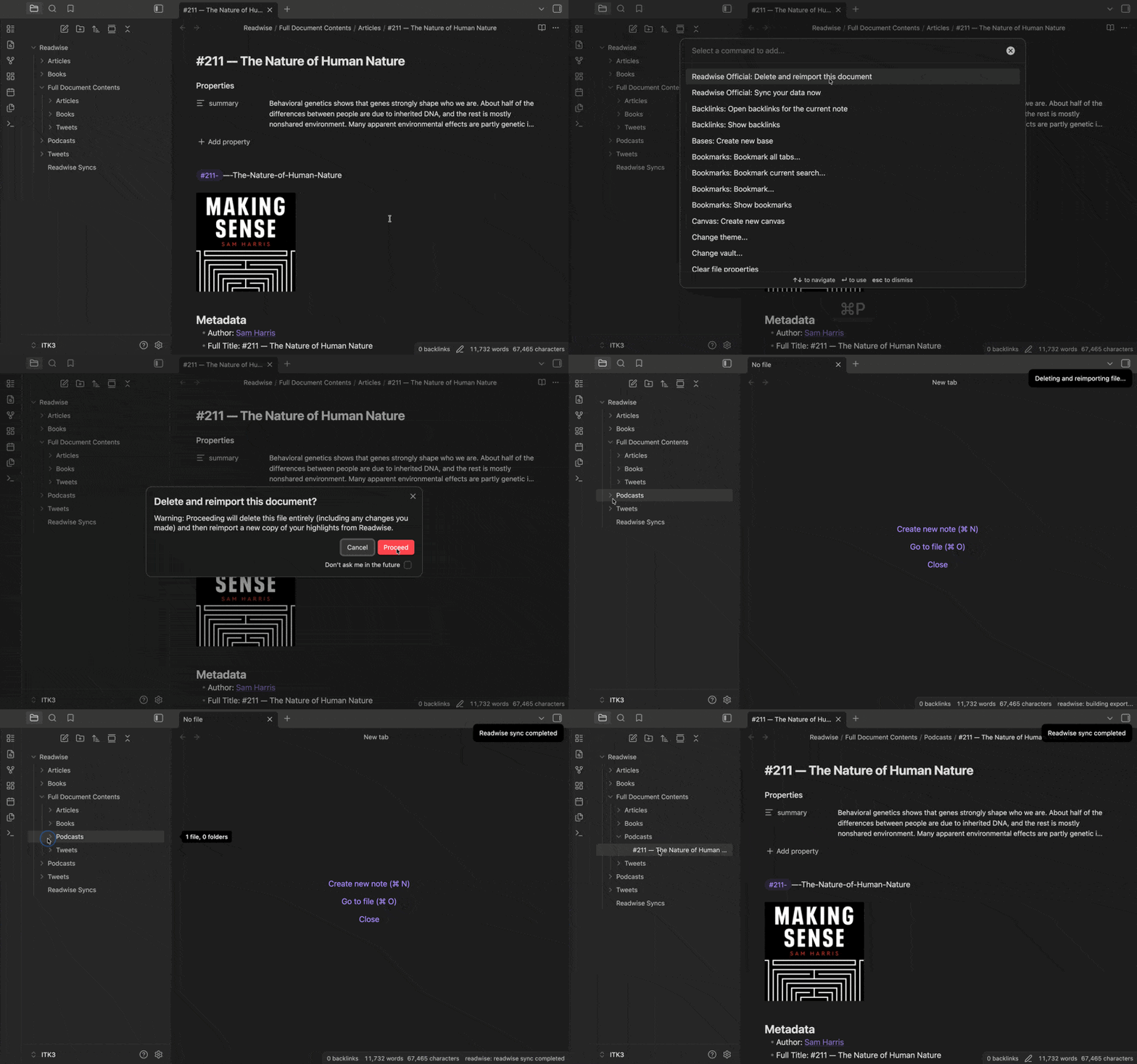
If a page in Obsidian isn’t reflecting the latest changes you made in Readwise, you can refresh just that one document without affecting anything else. Press Cmd+P and select “Readwise Official: Delete and reimport this document” to pull in the updated version. This keeps your notes aligned while saving you time.
❓ A Reader question from Daniel K:
Is there a way for me to view only the emails in my Feed?
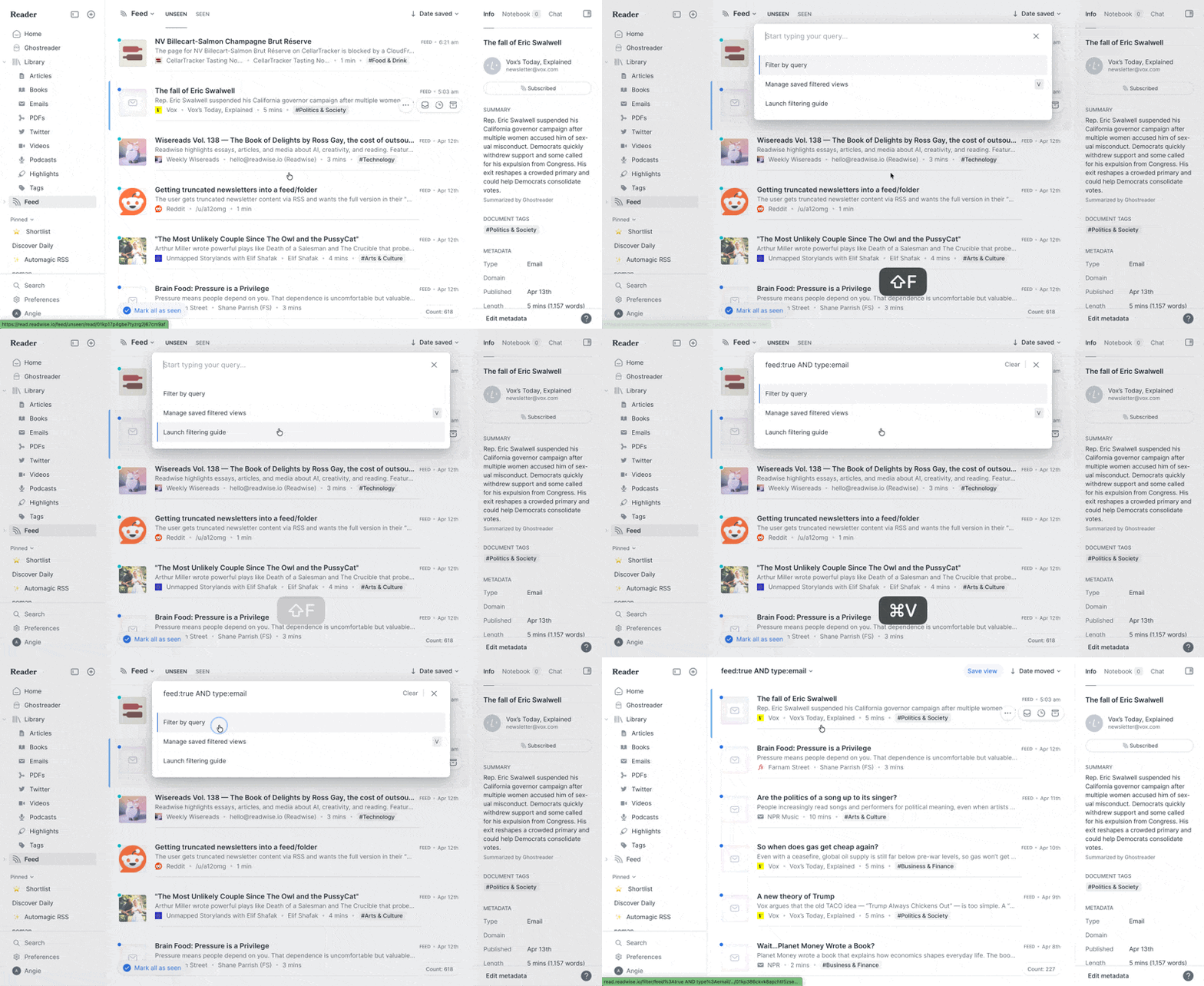
Find the emails you’re looking for by narrowing your Feed to just email documents by pressing Shift+F and typing feed:true AND type:email (You can use this link to open that query directly in your Reader account.) By using a filtered view, you can focus only on emails and skip past unrelated items. If you’re searching for something specific, you can also look up emails by title with feed:true AND title__contains:"keyword". It’s a helpful way to stay oriented when your Feed starts to feel crowded.
📖 New help doc of the week
Decode the secret language of Reader’s colorful status indicators
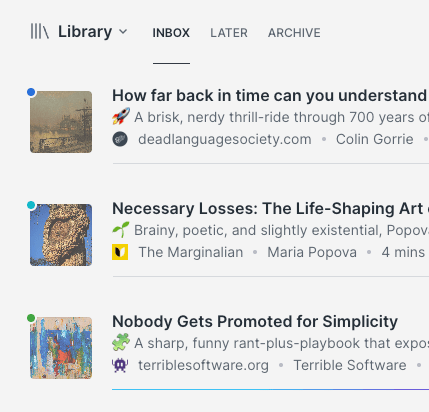
Ever wondered what those colored dots on your documents are trying to tell you? Cayla decodes each one so you can make sense of your library at a glance.
🎬 New video of the week
Introducing: Wikiwise
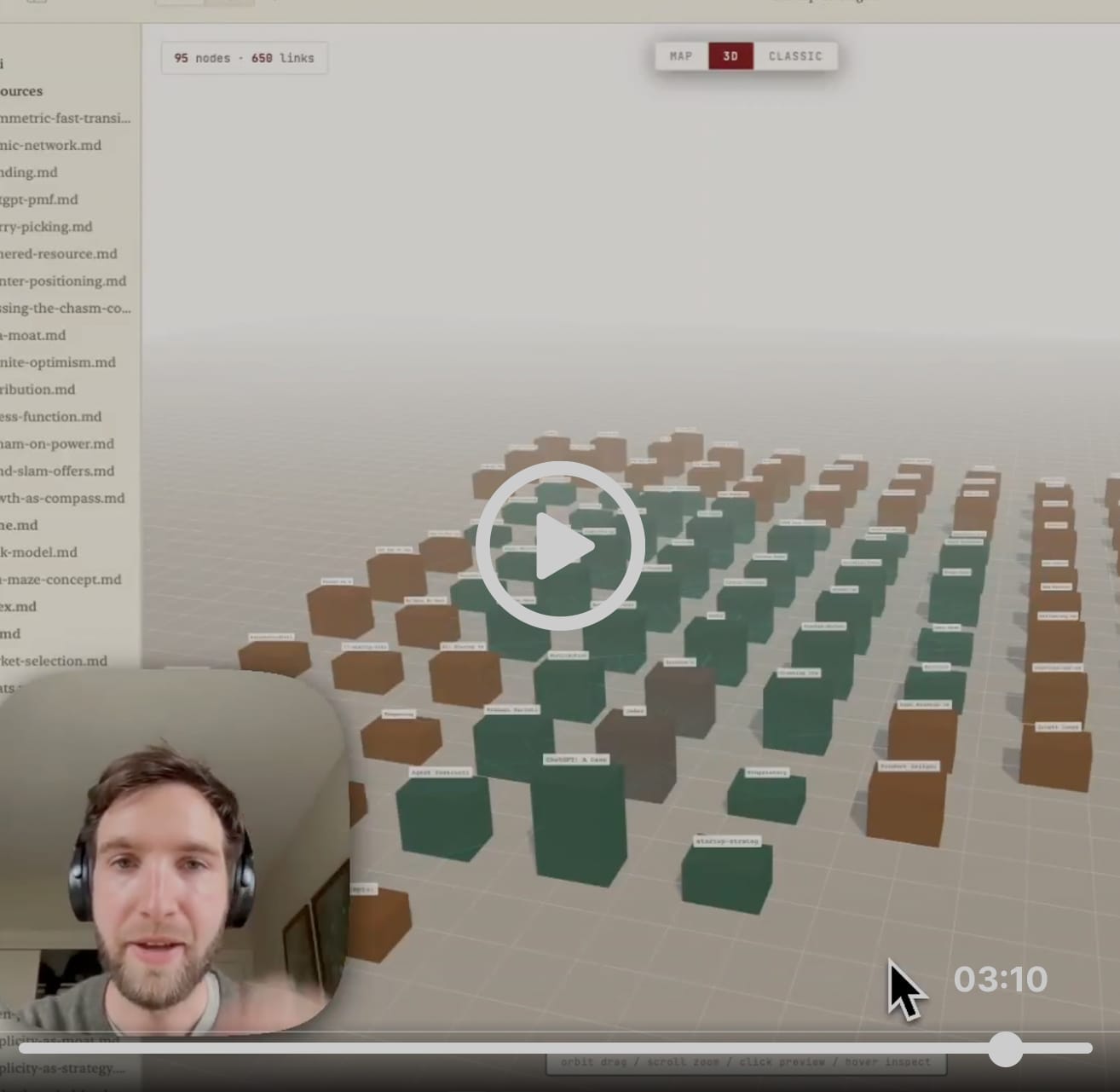
This week we’re sharing a tutorial from our co-founder Tristan on how to automatically create your own personal Wiki fueled by your Readwise highlights.
📰 Apr 4 - Apr 10 updates
What's new in Reader and Readwise
📓 NEW! Wikiwise (experimental) — Tristan built a native Mac app for setting up, customizing, and managing your own local-first markdown wiki with an AI agent. Just point it at a folder and your markdown files become interlinked pages. Add sources and the LLM agent reads them, writes summary pages, cross-references everything, and keeps it all consistent. The wiki compounds with every source you add, with no need for a database, configs, or account. Wikis can compile to a clean, fast website you can share on the web. If you decide to try it out, feel free to send us any feedback!
🔀 NEW! Expanded MCP Access — Thanks to Piotr, our MCP can now be used with Notion and Perplexity.
💎 Fixed Obsidian Exports — Tristan fixed a backend process glitch that prevented exported documents and highlights from reaching Obsidian.
📝 Fixed Highlight Ordering — Mati fixed a bug where highlights created via keyboard shortcut appeared at the top of the notebook panel regardless of their position in the document. Highlights now sort by their actual location, so your notebook and exports reflect the correct reading order.
🎙️ Improved Podcast Exports — Full transcripts now export to Obsidian, and podcasts are correctly categorized as podcasts in Readwise instead of being saved as articles.
🛜 Parsing Updates — Krzys improved how Reader handles Twitter/X content. Krzys also fixed a bug where email newsletters containing embedded script tags were getting cut off mid-content. Newsletters from Dan Koe, Liberty's Highlights, and various Substack authors were among those affected. Full newsletters should now come through intact.
👍 Three featured finds from the CX team
From generalist writer Abi
Something to read 📖
Abi got in a lot of reading on maternity leave, including a moody fairytale retelling from Cinderella’s stepmother’s perspective and one of Kristin Hannah’s older dual-timeline dramas. (You’ll want tissues for that one.)
Something to focus ☕
Since becoming a mom, Abi has locked in a simple coffee routine with the classic glass Chemex Pour-Over. It’s reliable and makes her morning cup feel a little more intentional.
Something to unwind 🍫
It’s Girl Scout Cookie season, so Abi has been looking for a way to satisfy her Thin Mint craving without polishing off a whole sleeve. These individually packaged Honey Mama’s fudge bars do the trick with better ingredients and that classic minty flavor. You can find them at Costco and Whole Foods.
💬 From the Readwise group chat
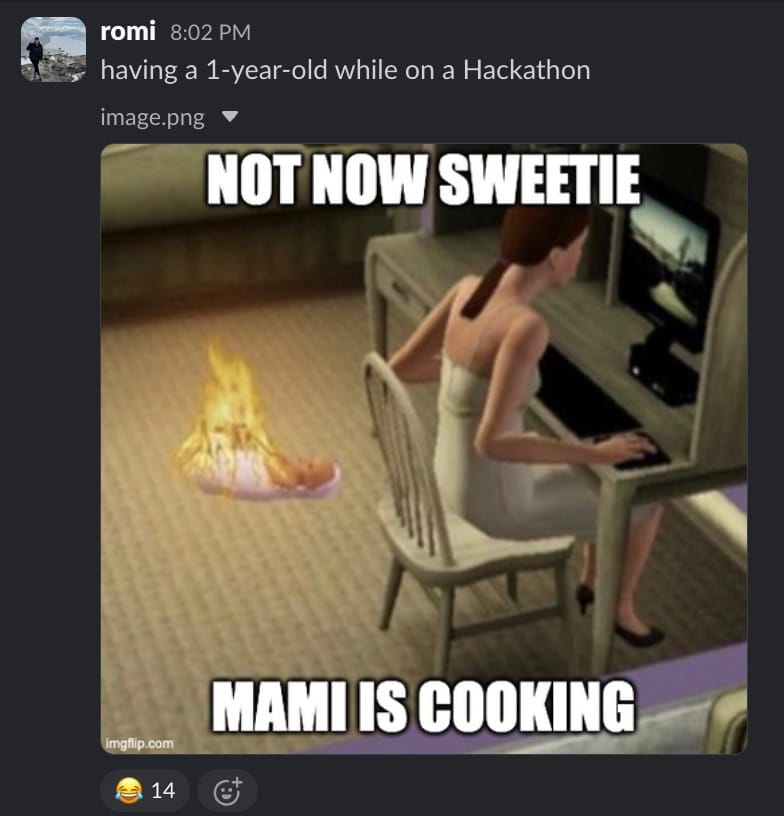
'tis the season (of Hackathons)
Don't worry, it wasn't that bad. No social worker showed up unannounced to take my kid away mid-sprint. And I was able to ship minutes before the actual deadline!
Warmly,
the Readwise customer support team