
💡 WiseUp! Vol. 61 — Better annotations, Kindle hacks, and export to Apple Notes
This week, we're featuring a piece that offers three simple tips for better annotations. We're also showing you how to recover all of your deleted items and how to shortlist articles for a more personalized experience.
On the app side we've launched Readwise for Claws and a new feature that allows you to modify action tags. Read on for all the details or check out our log of weekly improvements.
Before we get into the tips…
📍 Let's start with a reading recommendation
Low effort, high reward strategies for better annotations
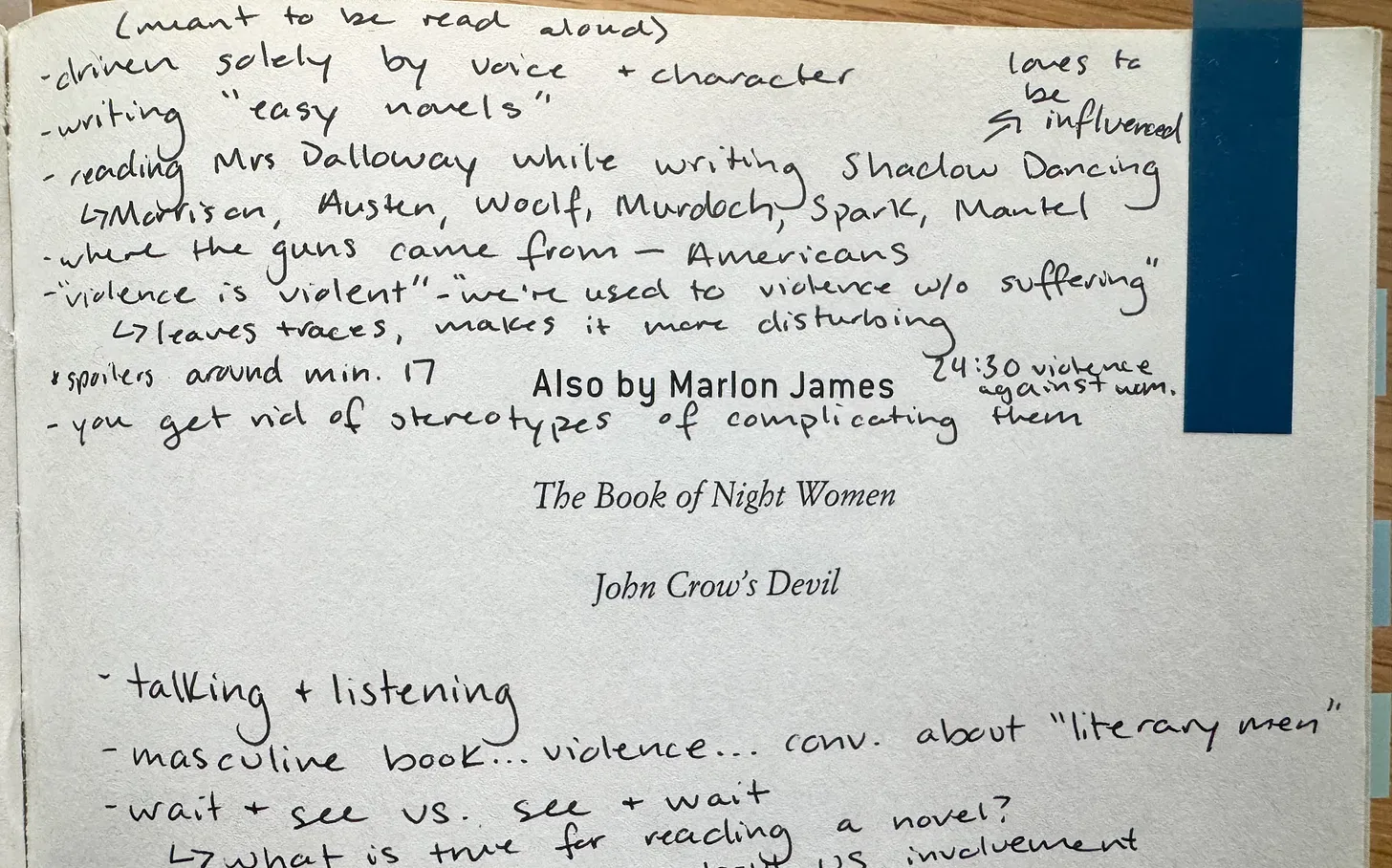
Most annotation advice sounds like it was written for someone training for an exam. Sara Hildreth's approach is the opposite. She’s a former English teacher who knows how to annotate academically, but now she’s figuring out what that looks like when it’s just a book she wants to read well. The real gift of this piece is the permission it gives you to stop overthinking it. Just you, a pencil, and the text. “Writing down a question is the beginning of having a conversation with the text. Once the question is posed—even just to myself—it becomes part of my internal dialogue as I read, resulting in true engagement and more satisfying reading.”
From the support inbox
Have questions about using Readwise or Reader in your workflow? We'd love to be your guide! Reply to this email with your question and you might be featured in an upcoming issue. Even if your question isn’t featured, we’ll respond to every message.
❓ A Readwise question from Noah M:
Is there a way to automatically export my highlights into Apple Notes?
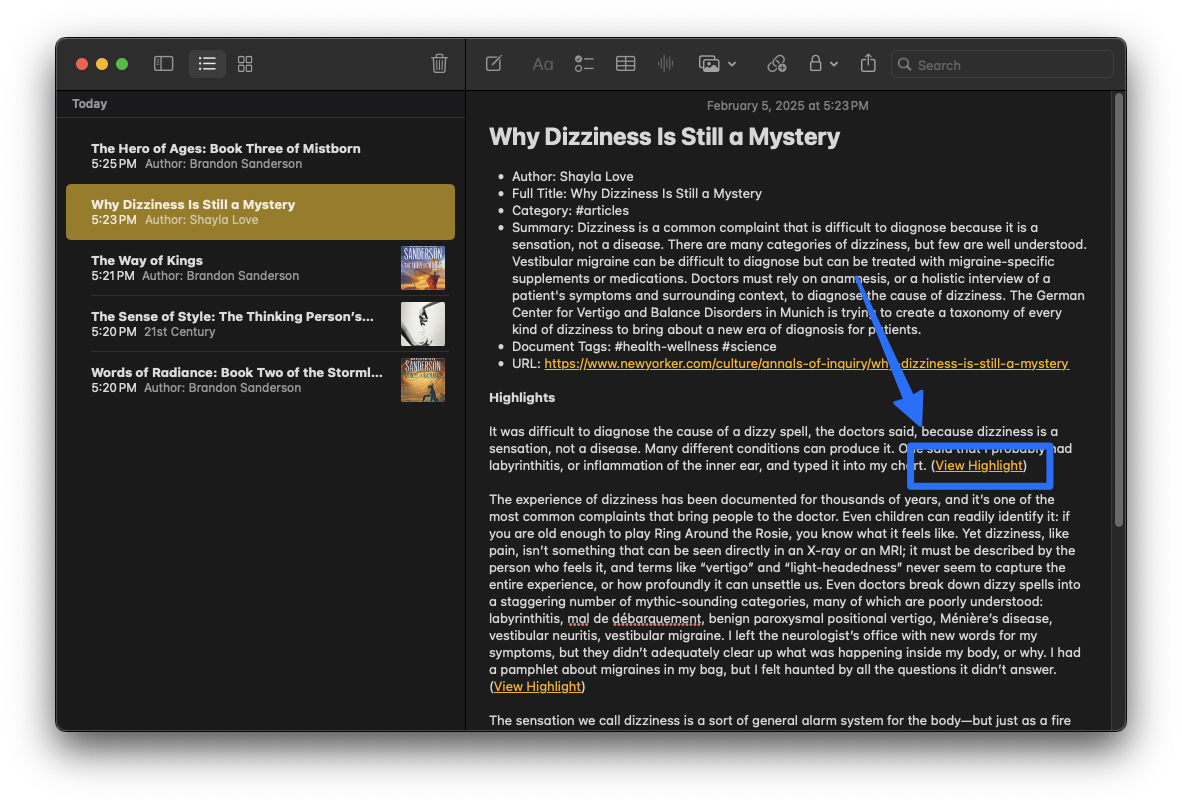
Do you prefer to keep your highlights right where you already take notes, so everything you’ve read stays close at hand? Install the Readwise Mac app, connect your Readwise account, and your highlights appear as neatly organized notes, grouped by book or article. As you keep reading, any new highlights are added to those same notes during each sync, so nothing slips through. You can also adjust how the notes look and choose what gets included, so it fits the way you like to revisit what you’ve learned.
❓ A Reader question from Darren S:
How can I star articles to read next?
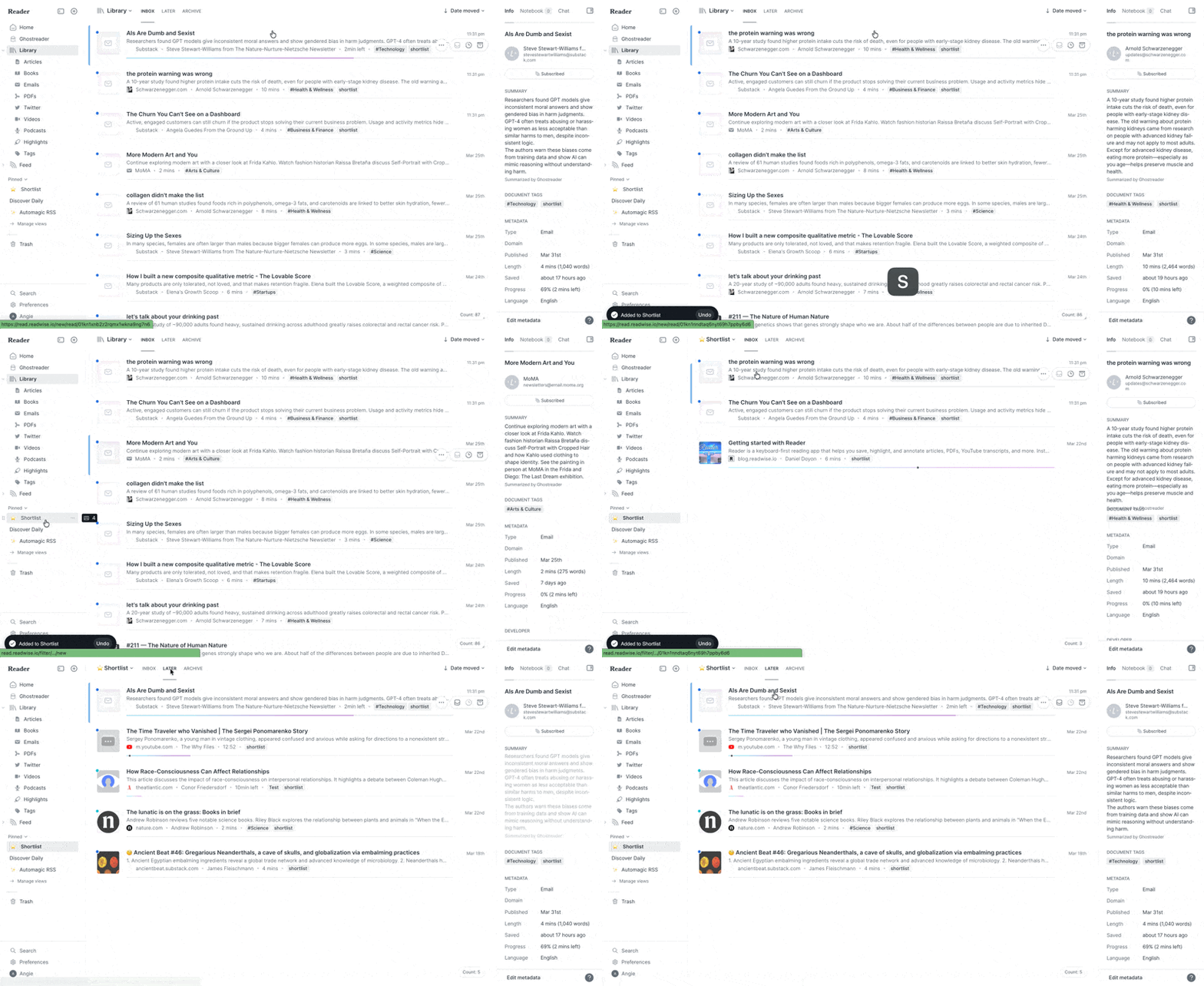
Make your reading feel more intentional by setting aside what you want to dive into next. The Shortlist allows you to pick a few pieces from your “read it later” queue and keep them ready. It’s like a small stack you keep nearby, instead of sorting through everything each time. Just press “S” to add something, so you always know what’s next.
📖 New help doc of the week
Did all of those old tweets spark joy after all? Bring them back
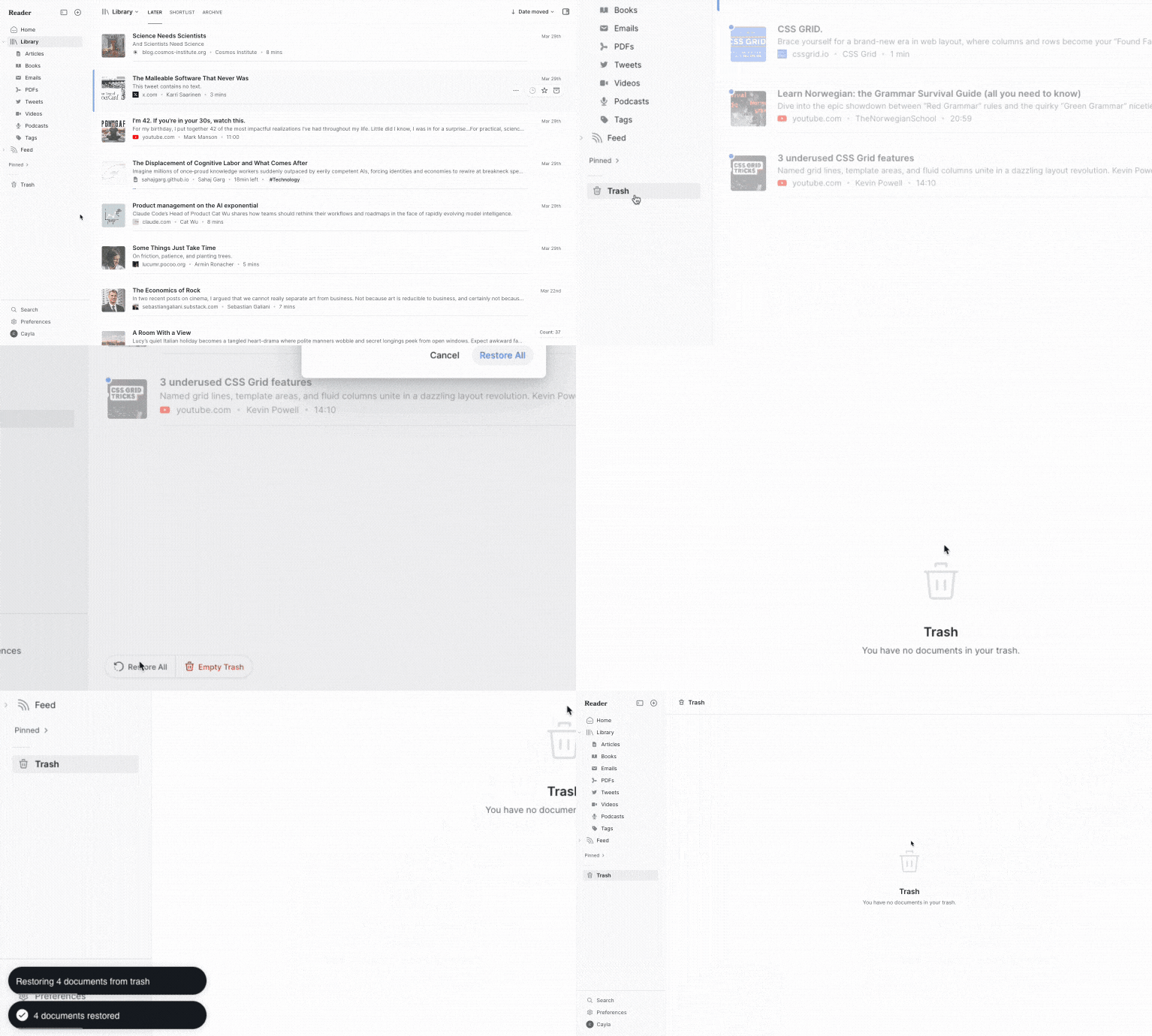
We generally support ruthless decluttering, but sometimes the regret kicks in a few seconds too late. This week, Cayla explains how you can use the new “Restore All” option to recover from an overzealous bulk delete in seconds.
🎬 New video of the week
4 Kindle hacks

This week, we’re sharing the 4-part reading system Charlie Samway’s uses for deep, focused reading on his Kindle. You can even combine these tricks with our Send to Kindle option in Reader 🔥
📰 Mar 21 - Mar 27 updates
What's new in Reader and Readwise
🔖 NEW! Modify Action Tags — You can now modify or remove header markers after creating them, and the associated sections and auto-generated tags update to match. As part of this change, Ibai also fixed an issue where .h1/.h2 header action tags and .c1/.c2 concatenation tags could interfere with exports.
🦞 NEW! Readwise for Claws — We just launched a ClawHub skill that connects your Readwise and Reader library directly to your claw. Anything you save (articles, PDFs, tweets, YouTube, podcasts, newsletters, books) is instantly searchable and readable by your agent in clean markdown. npx clawhub install readwise-official
⭐️ Fixed Shortlist Webhook — Mati extended the shortlist hook so moving items to shortlist triage status will now dispatch a webhook (i.e. for Zapier).
📧 Fixed Email Imports — Mati fixed a bug where emails forwarded by Gmail as attachments (.eml files) weren't working right. Reader now correctly processes these attachment types, so all forwarded emails should arrive as expected.
📚 Fixed Kindle Imports — Single-language Japanese, Chinese, and Russian Kindle clippings now parse correctly. Rasul also added a warning when sending Kindle books bigger than Kindle's 7MB email limit.
🦊 Fixed Firefox Login — Mati fixed a CSRF error that blocked login for Firefox users running strict privacy settings. Those users should be able to sign in without adjusting their browser configuration.
🐦 Fixed Twitter/X Saving — Tristan fixed a bug with saving tweets that had partial or malformed data from Twitter's API. Rasul also improved retry behavior when Twitter's connection drops during initial sync setup, so tweet saving should fail less often.
🛜 Parsing Updates — Krzys improved how Reader handles documents from google.com, hackernoon.com, sciencedirect.com, and smarthomecircle.com. He also improved page fetching more generally, which should make parsing work better across the board.
👍 Three featured finds from the CX team
From CX specialist Max
Something to read 📖
Max recently started Lonesome Dove and is already hooked. It’s a slow, immersive story that’s perfect for getting lost in after a long day.
Something to focus 🧠
Max resets his focus with the 5-minute meditation series in the Waking Up app. It’s a quick and surprisingly effective way to clear his mind and get back into the flow.
Something to unwind 🪷
With spring in the air, Max likes to take walks by a nearby lake. The mix of fresh air, moving trees, and soft waves makes it especially calming. The latest Apparat album is what he's listening to during these walks.
💬 From the Readwise group chat
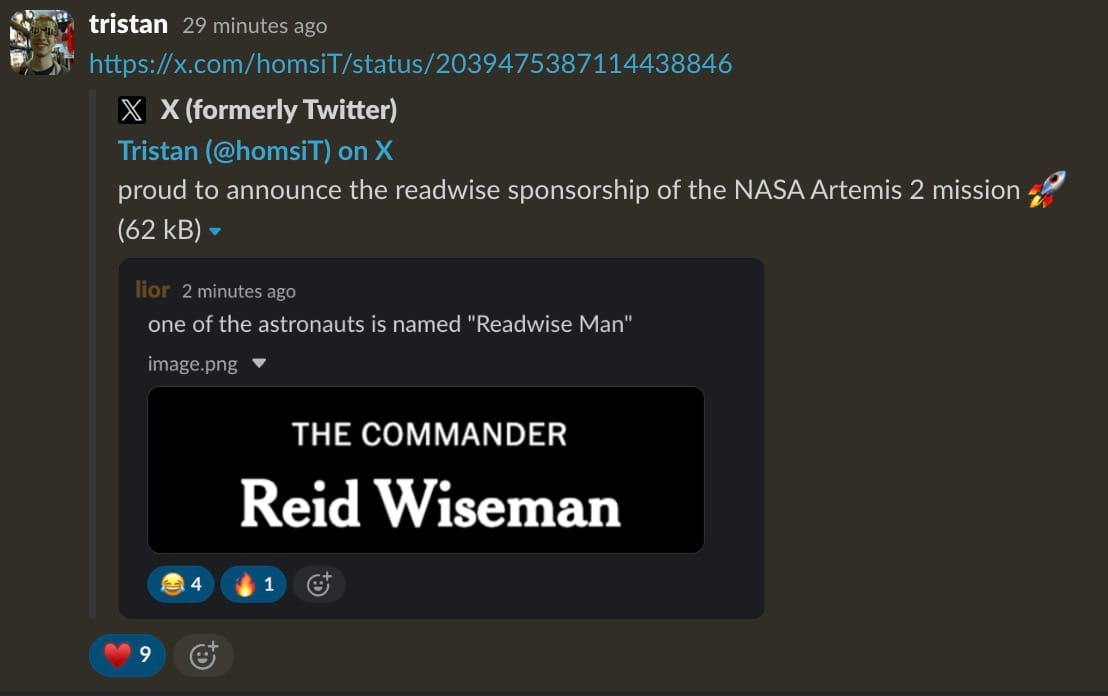
From Readwise to the moon
Half April's Fools, half "can't unhear it": our team is thrilled to have a Wiseman orbiting the moon 🌙
Warmly,
the Readwise customer support team