
💡 WiseUp! Vol. 54 — Clean up your tags, learn to chat with your highlights, and understand what's changing with AI
This week, we’re jumping into a 50-million-people conversation with Matt Shumer’s latest take on AI and pairing it with Erin’s guide to using ChatGPT to chat with your highlights. We’ll also share tips to update your email, clean up unused tags, and improve your long-form reading experience in Reader.
On the app side, we've made app connections better by launching an updated Roam Export, fixing the Notion connection, and improving the Instapaper Sync. Read on for all the details or check out our log of weekly improvements.
Before we get into the tips…
📍 Let's start with a reading recommendation
Something big is happening

Whether you're skeptical or curious about AI, it's worth understanding where the technology actually stands today. Matt Shumer’s point isn’t “panic,” it’s “pay attention”. According to Matt, the tools have quietly crossed a threshold, and a little hands-on literacy now while it’s still early will save you a lot of catching up later: "The experience that tech workers have had over the past year, of watching AI go from "helpful tool" to "does my job better than I do", is the experience everyone else is about to have."
From the support inbox
Have questions about using Readwise or Reader in your workflow? We'd love to be your guide! Reply to this email with your question and you might be featured in an upcoming issue. Even if your question isn’t featured, we’ll respond to every message.
❓ A Readwise question from Carl M:
How do I update the email associated with my login?
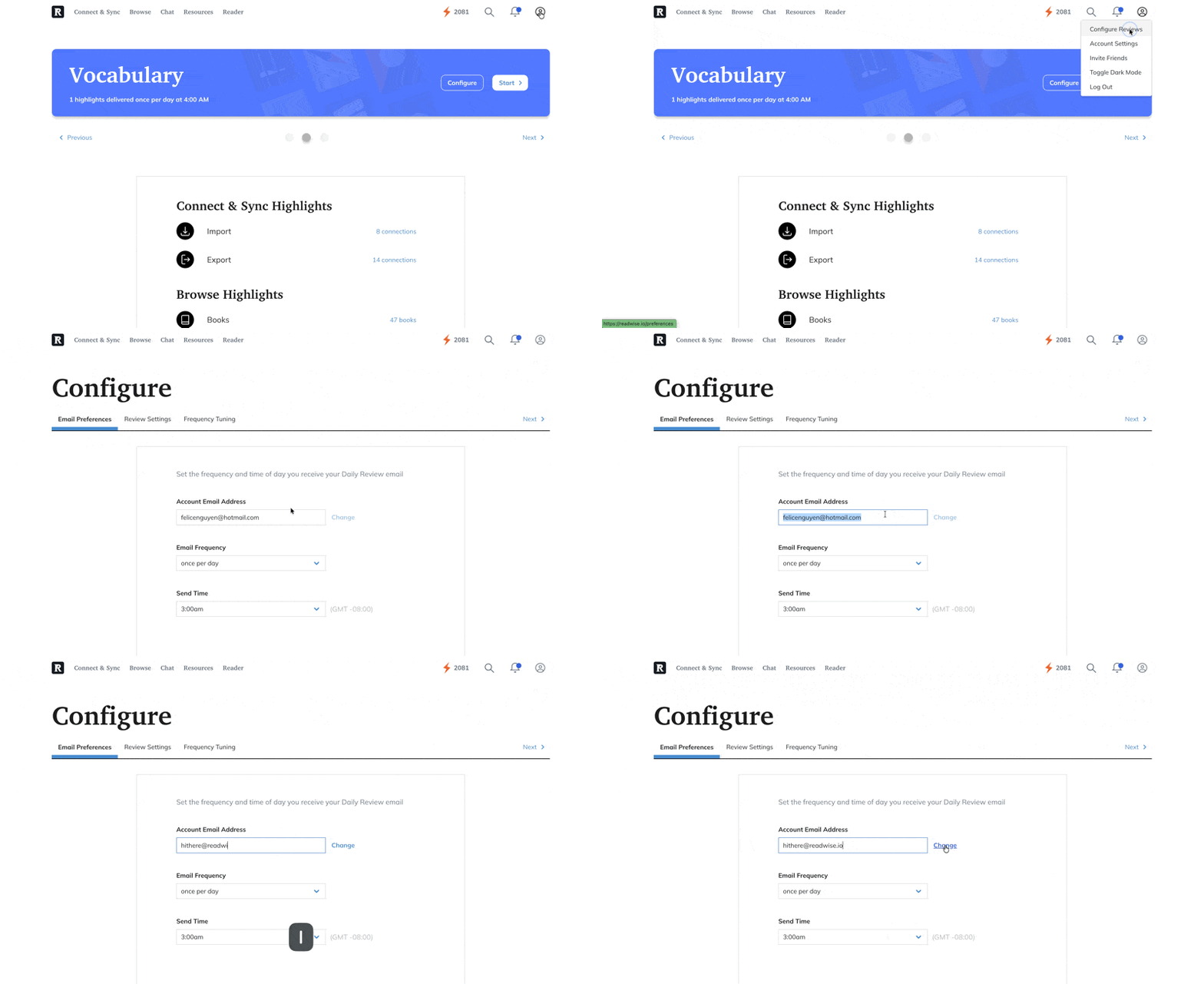
Updating your email keeps your account secure and your notifications going to the right place. Head to the Configuration page, add your new email address, and select Change. This will also update the email you use to sign in.
❓ A Reader question from Ward W:
How do I delete my unused tags?
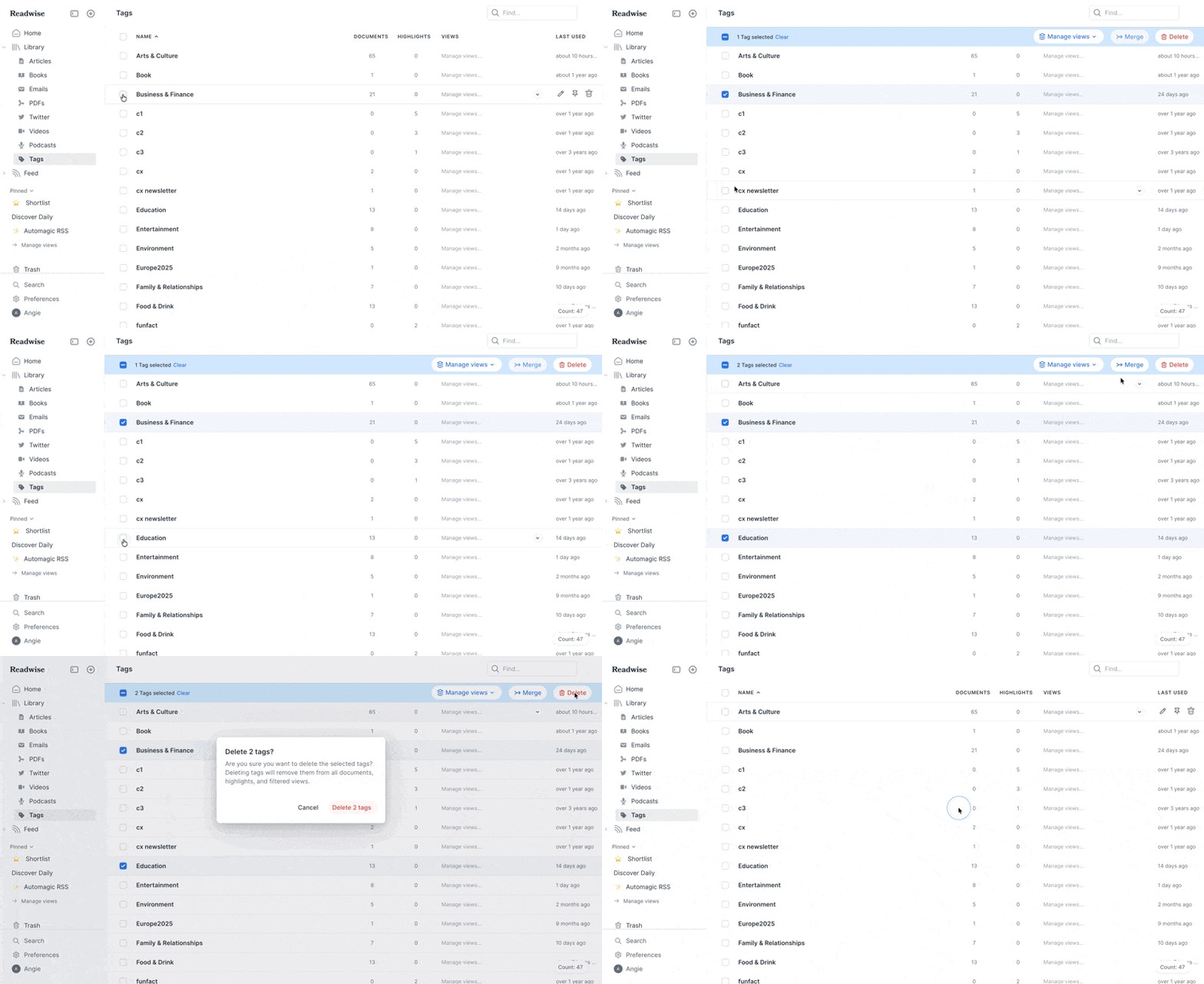
Keep your Reader tidy and easier to navigate by managing all your tags in one place. From the Tags page, you can select several tags at once and remove them together instead of going one by one. You can also combine similar tags or turn a tag into a custom view to quickly see related items.
📖 New help doc of the week
Customize Reader for books and deep reading
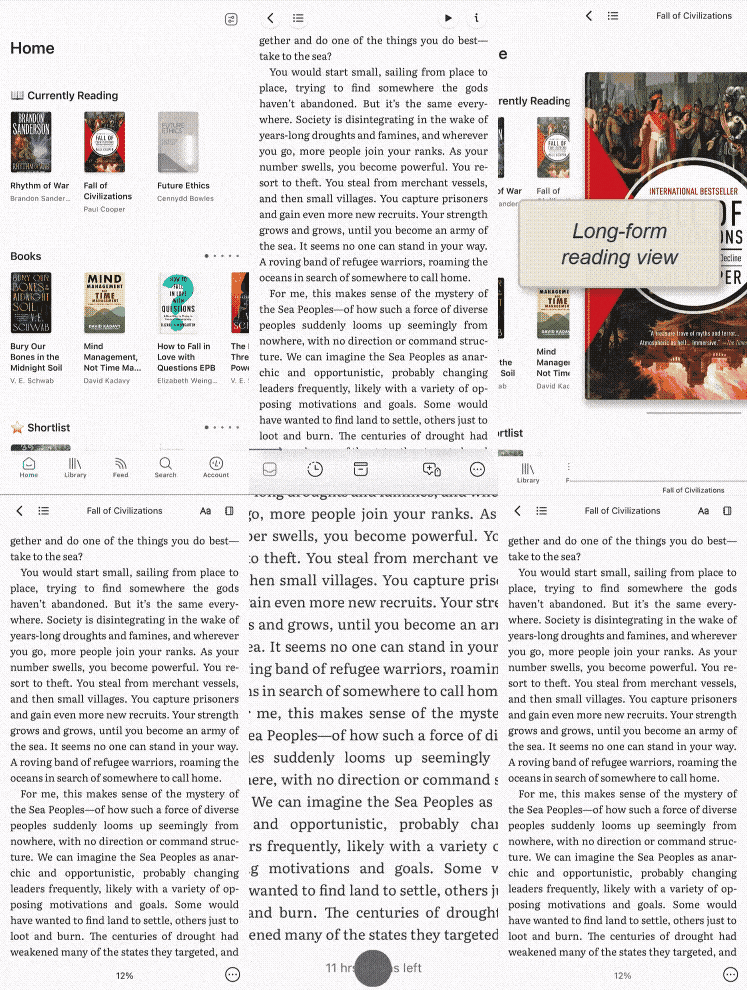
Scrolling through emails should feel different from settling into a good book. This week’s guide shows how to set up Reader’s long-form reading defaults (like dedicated layout, paged scroll, and justified text) and tailor your Home view so immersive reading feels intentional instead of incidental. A few small tweaks can make a big difference over hundreds of pages!
🎬 New video of the week
A custom GPT for your reading
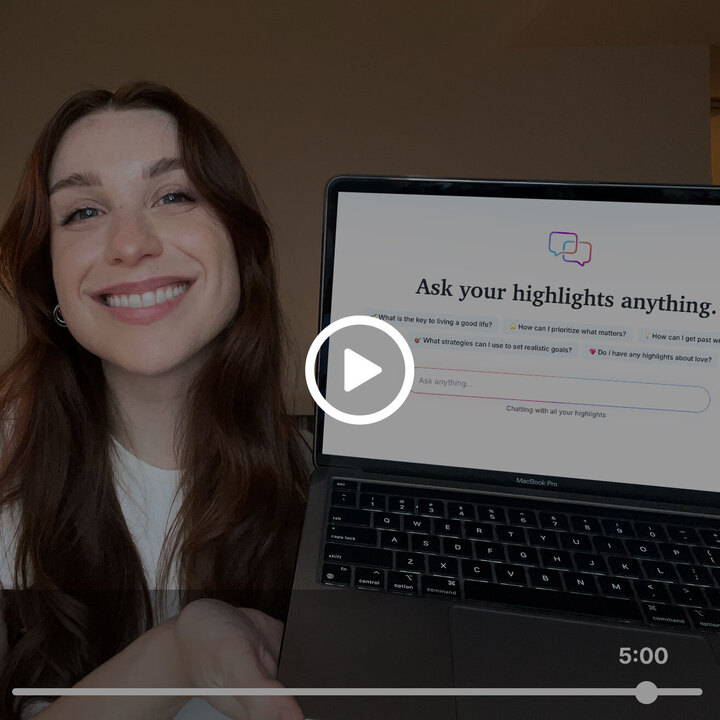
Today marks one year since we launched our most game-changing feature in Readwise: chat with highlights. We’ve since added multiple upgrades, including chat suggestions, more advanced GPT models, and the ability to rename and delete conversations for easier navigation.
📰 Jan 31 - Feb 06 updates
What's new in Reader and Readwise
📧 Updated Newsletter Preferences — To celebrate our 1-year anniversary, Mati added this newsletter to the email preferences page in Reader.
⚙️ Updated Roam Export — We've deprecated the old Roam export method in favor of the official Roam API integration. If you're exporting to Roam, make sure you've switched to the API-based export in your settings.
🔀 Improved Instapaper Sync — Tristan improved how Reader syncs with Instapaper by passing your existing bookmarks to the API, which should prevent duplicate imports and speed up the sync process.
🤝 Fixed Notion Connection — Mati fixed a re-authentication glitch that caused the app to display a loading spinner instead of the button to re-connect.
🐦 Fixed Twitter Bookmarks — Twitter Bookmarks should be syncing again after an outage due to a glitch with the Twitter API. Rasul also re-enabled syncing for folks who weren't able to last week.
🔊 Fixed TTS Auto-Scroll — Starting text-to-speech would sometimes cause an unexpected scroll that broke the word-by-word tracking. This has been resolved, so TTS should smoothly follow along with the audio again.
🪜 Fixed Desktop Updates — Mati fixed a race condition with version numbering that could cause issues with automatic updates to the desktop app.
⌛️ Fixed Document Frequency — Mati fixed a bug where your document surfacing preferences weren't being saved properly in Readwise. If you had configured how often certain tags should be applied, those settings should now persist as expected.
👍 Three featured finds from the CX team
From CX specialist Max
Something to read 📖
The Dawn of the Post-Literate Society by James Marriott is a sharp, slightly unsettling essay on what happens when reading becomes optional and machines do more of the writing. Max recommends it for the way it reframes “literacy” as something cultural, not just technical.
Something to focus 🐈⬛
Max recommends the Dark Reader browser extension for long browser sessions. It makes bright websites easier on the eyes and helps him stay in flow.
Something to unwind 👓
For evenings, Max recently got the Martello Sleep blue-blocker glasses from Lichtblock to reduce blue light after sunset. They take the edge off late-night screen time.
💬 From the Readwise group chat
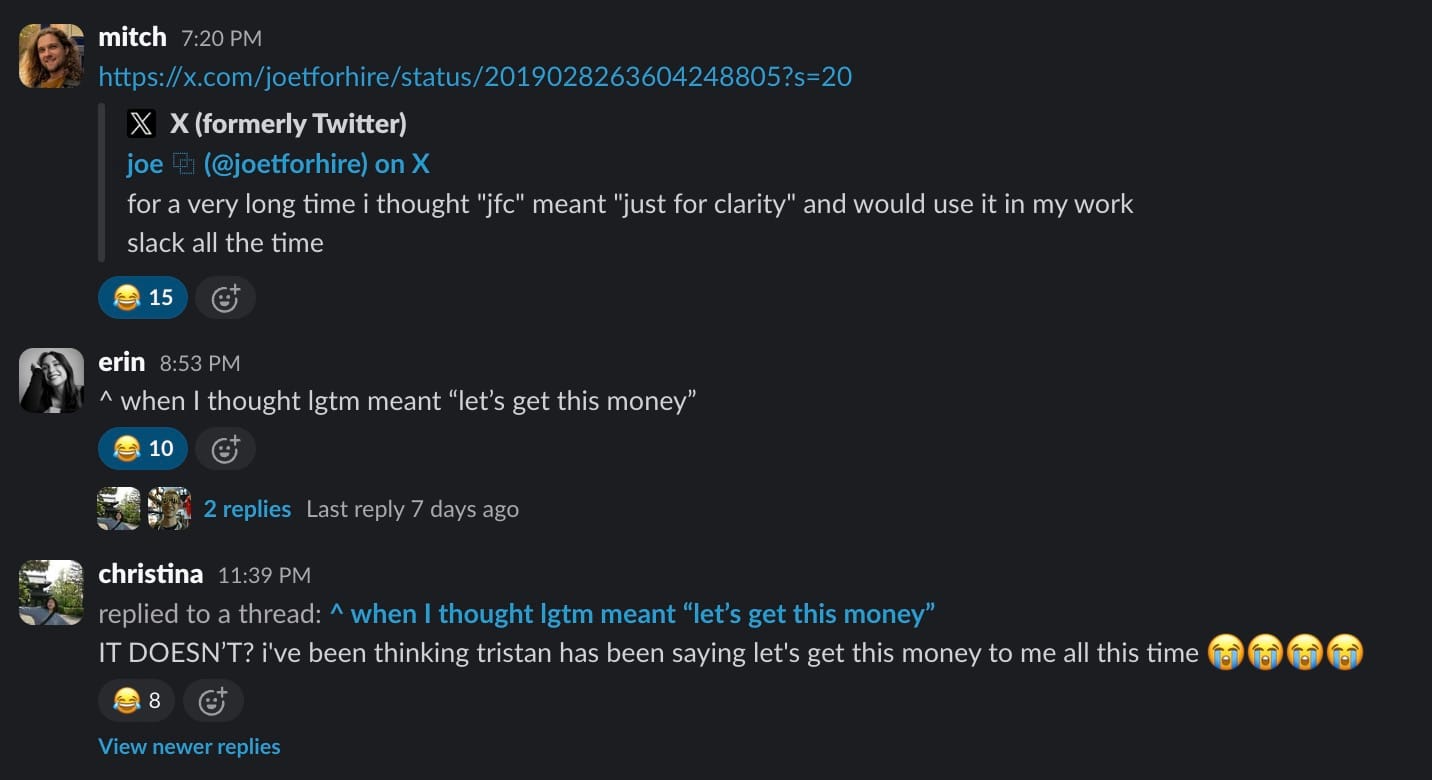
Running on vibes, not definitions
English is my second language, so you could say acronyms are a distant third. I’ve been known to interpret them a little… creatively, so I found this exchange absolutely hilarious. As they say: LMAO (Let’s Monetize All Opportunities!)
Warmly,
the Readwise customer support team